In this iPhone guide you’ll learn how to unlock iPhone 3GS and 3G with BlackSn0w. BlackSn0w is able to unlock Baseband 05.11.07.
In order to follow this guide you need to jailbreak your iPhone first:
Once you’ve jailbreak your iPhone, your iPhone is at OS 3.1.2 with Baseband 05.11.07. Now you’re ready to unlock iPhone with BlackSn0w.
NOTE: Using this Guide you can unlock iPhone 3GS and Unlock iPhone 3G. BlackSn0w doesn’t unlock iPhone 2G.
How to Unlock iPhone 3GS, 3G with BlackSn0w
There are two possible ways to unlock iPhone with BlackSn0w:
- Install BlackSn0w iPhone Unlock from BlackRa1n.app
- Install BlackSn0w iPhone Unlock from Cydia.
We’ll discuss both ways.
-
Install BlackSn0w iPhone Unlock from BlackRA1n.app
Once you’ve jailbroken your iPhone using the guide linked above, you should have BlackRa1n.app icon on your Springboard.
Step 1
Tap the BlackRa1n.app icon to launch it.

Step 2
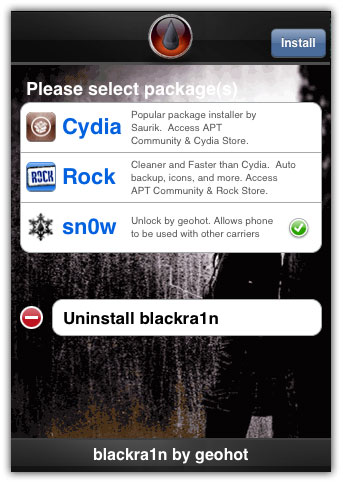
There you will find three packages.
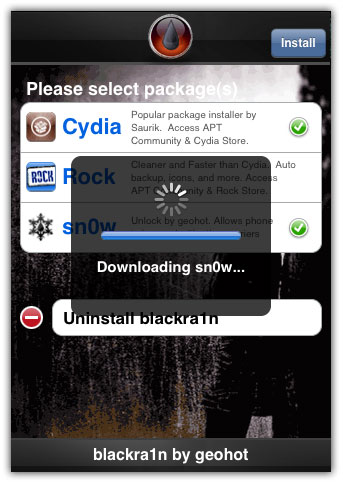
Select the Sn0w package and tap install button to unlock iPhone 3GS, 3G with Baseband 05.11.07. Black Sn0w will then be downloaded and installed.

Step 3
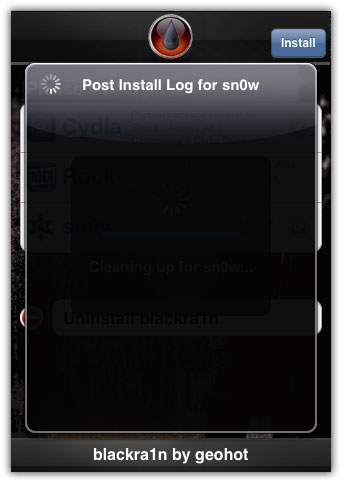
Post Install log for Blacksn0w will appear on the screen. Read and close it.
Your iPhone will Respring then.
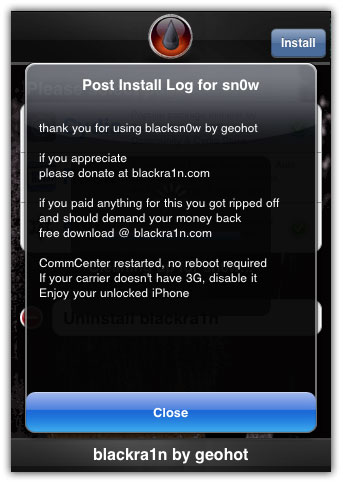
Voila! you have successfully unlock iPhone 3GS, 3G on Baseband 05.11.07 with BlackSn0w.
If you find any Wi-Fi issue >> Reset your Network Settings (Settings > General > Reset)
Installing Push & YouTube Fix from Cydia fixes all issues after unlocking iPhone with BlackSn0w -
Install BlackSn0w iPhone Unlock from Cydia.
Once you’ve jailbroken your iPhone using the guide linked above, you should have Cydia icon on your Springboard.
Step 1
Tap on the Cydia icon to launch it.
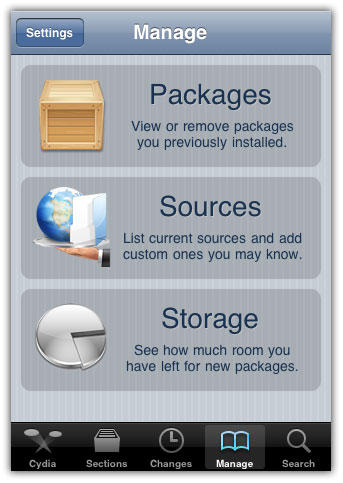
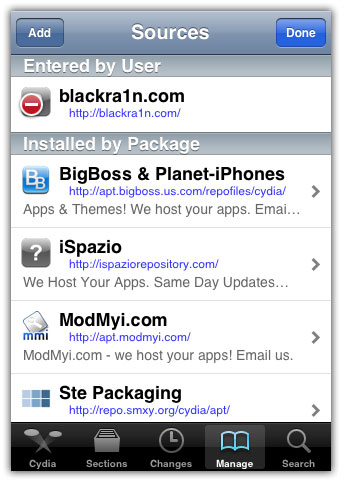
Go to Manage Tab and select Sources option.
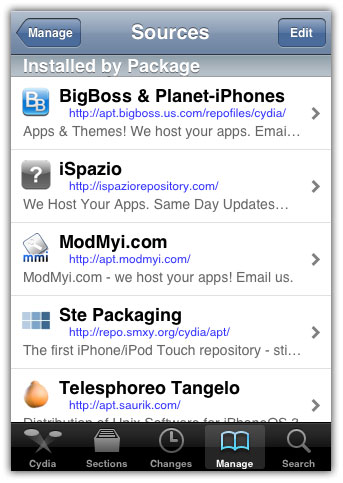
Now tap the Edit button.
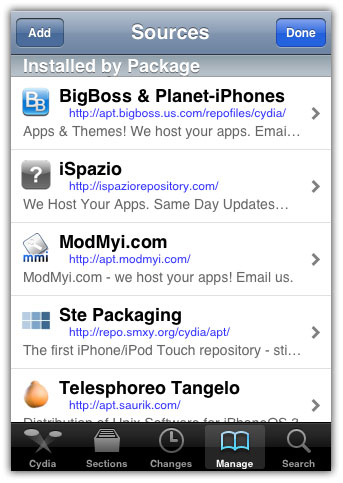
Tap the Add button.
Step 2
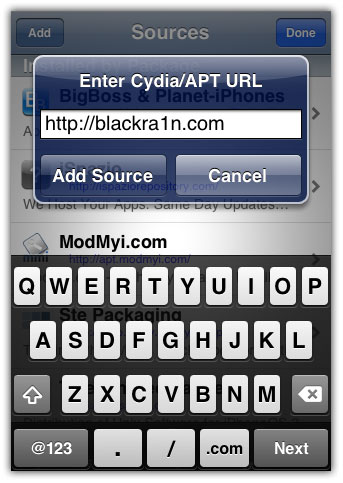
Enter the following URL: http://blackra1n.com and tap the add source button
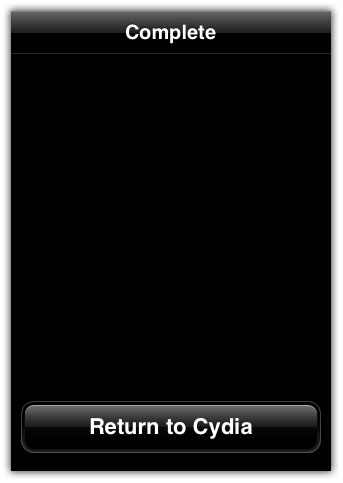
Now Return to Cydia
Press the Done button
Step 3
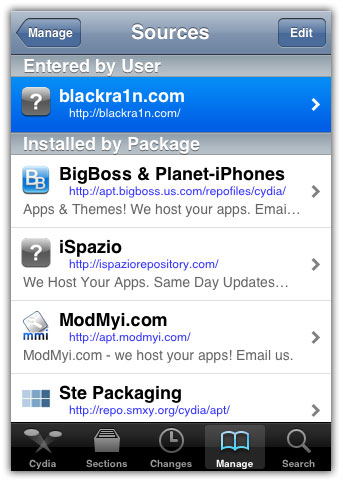
Now select the BlackRa1n.com source that you just added.
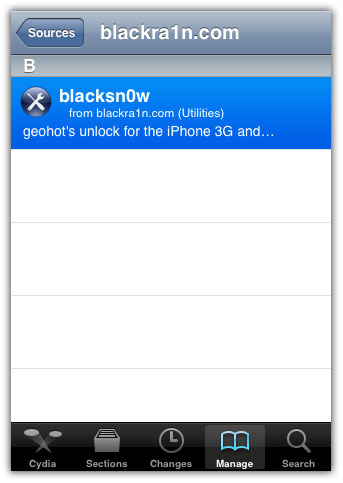
Select BlackSn0w from the list
Press the Install button
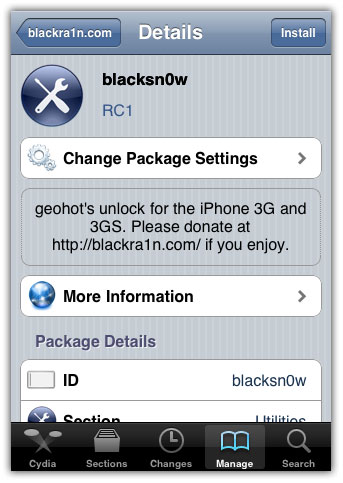
Step 4
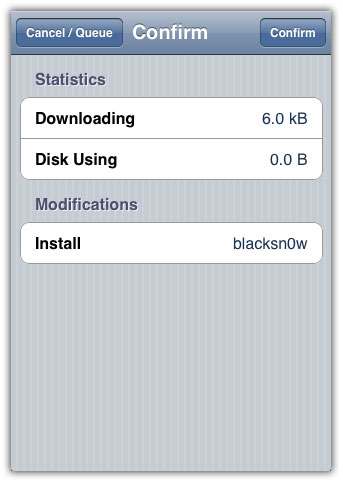
Then Press the Confirm button to start the installation process.
Once successfully installed, Press the Return to Cydia button.
Give a few minutes to CommCenter to restart itself.
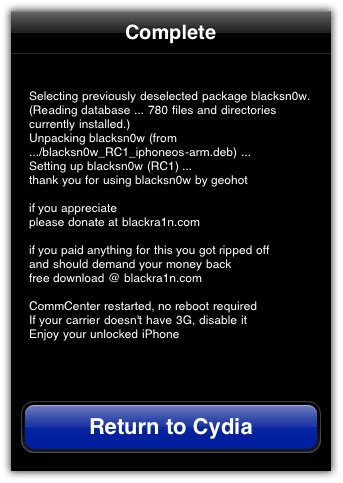
Voila! you have successfully unlock iPhone Baseband 05.11.07. Enjoy any Sim card on your unlocked iPhone.
If you find any Wi-Fi issue >> Reset your Network Settings (Settings > General > Reset)
Installing Push & YouTube Fix from Cydia fixes all issues after unlocking iPhone with BlackSn0w.
Great! BlackSn0w iphone unlock guide thanks
thanks TGuy!
successfully unlocked iPhone 3GS..
Thanks for sharing that you have successfully unlocked your iPhone
Hi,
If the phone had been jailbroken, is it possible to connect to itune on the pc again?
Yes, you can connect jailbroken iPhone with Apple iTunes
My wife’s iphone was jailbroken, but when she connect to itune, everything went haywire. Either files missing or something isnt the same as before connecting.
Which is the reason why mine haven jailbroken yet.
It says it’s unlocked but I than go to put my tmobile dim card in and keeps telling me wrong sim detected. Help!!