In Office 2007 Microsoft introduced . docx, . xlsx, . pptx for Word, Excel, Power Point respectively. These Office 2007 files formats can’t open in previous version like Office 2003 by default.
But Microsoft provide the solution to open docx, xlsx and pptx files in Office 2003 by installing the Microsoft Office Compatibility Pack for Word, Excel, and PowerPoint 2007 File Formats. You can Open, edit, and save documents, workbooks, and presentations in the file formats new to Microsoft Office Word, Excel, and PowerPoint 2007.
Download Office Compatibility pack for Word, Excel and PowerPoint 2007
By installing above Compatibility pack you can open .docx file in Office 2003, open .xlsx file in Office 2003, open .pptX file in Office 2003. Check more options for opening Office 2007 files in Office 2000, XP versions on compatibility download page.
Downloading and Installation Screenshots

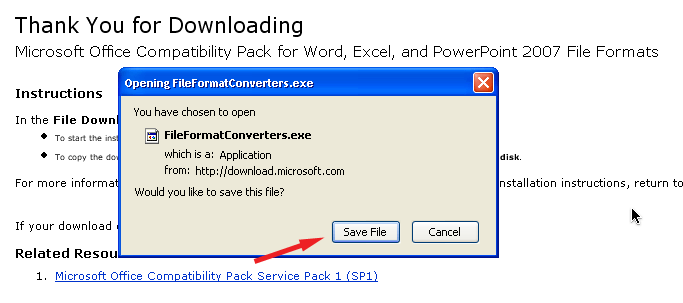
Save file to your computer
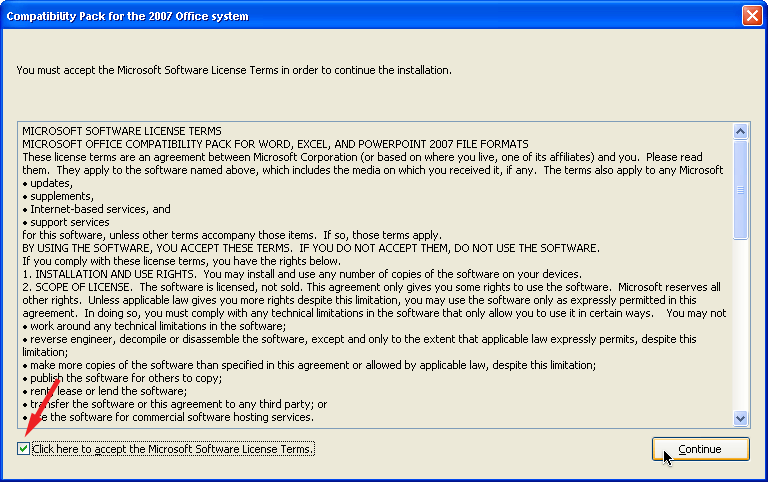
Select the agreement checkbox and press continue
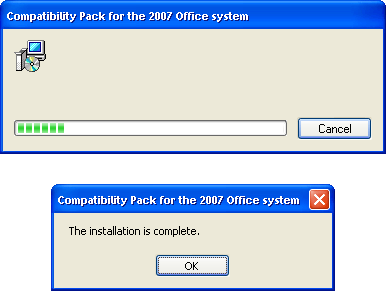
Installing compatibility pack
Thank you sir
You are welcome…
thanks a lot for this guidance, all the time i’ve the problem to open docx, xlsx and pptx files which is resolved now
I also have same problem with .docx, .xlsx, .pptx etc which is covered with your instructions