Where is Outlook Express in Windows 7? Well Outlook Express is replaced with Windows Mail in Windows Vista and now in Windows 7 it comes with the name Windows Live Mail. Windows Live Mail is free program but not comes with Windows 7, so you have to install it manually. Follow the steps given below to install the Windows Live Mail.
Step-1
Click on this link Windows live Setup then click on download button and save setup file.
Step-2
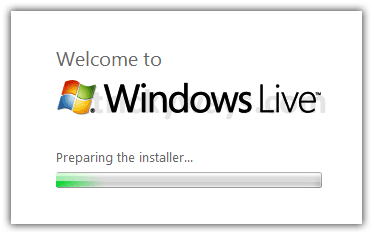
Double click on downloaded setup file to install Windows Live Mail
Step-3
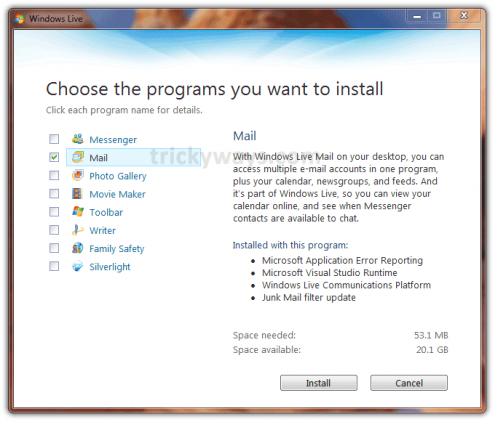
Now click on Mail check box and click Install button to start installing Windows Live Mail
as you click Install this will take some time to download and install depends upon you internet speed. Follow the on screen instructions
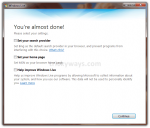
Step-4
If you want to create Windows Live ID click on Sign up – OR – click Close button
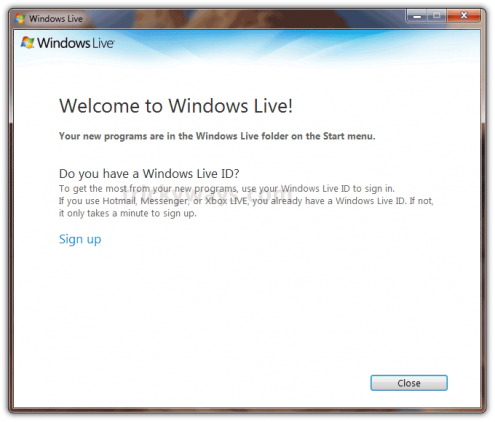
Step-5
See the Windows Live Mail is installed and available in Start Menu > All Programs > Windows Live > Windows Live Mail

Now setup you email addresses in Windows Live Mail.
Leave some comments below and feel free to ask any question if you’re having any problem in installing Windows Live Mail.
See also:
Nice job
thanks for sharing this new knowledege about Windows 7
I was searchin in start menu where is outlook express gone?, thanks for the help. Windows live mail looks much better than outlook express
Windows Live Mail looks much neat and clean than outlook
Thanks for windows live mail
live mail looks nice as compare to outlook
I just bought a Toshiba Laptop and just discover that outlook express is not included anymore in Windows 7. It was a lot easier when the program was included. Why not provide us with a choice of e-mail provider which will make for an easier for us new customers. I just dicovered that Outlook Express is replaced by Windows Live Mail. Thanks for the help. I will be installing it and hope it lives up to the comments you have received. Thanks again.
I am having problems with setting up Live Mail. I have downloaded the application Ok but am stuck on how I get it to reconfigure so that I can access my btopenworld mail online and offline. I don’t understand what the screen says! Please help.
Please tell me which screen you don’t understand.
Live mail interface is nice and simple
Can someone just tell me where I can get the software for windows live mail.
I can’t send out pictuers with windows 7. Can anyone tell me what to do. How do I sign up with mirosoft.
THANK YOU RO