This is a step by step guide which could be used to Jailbreak iPhone 3GS OS 3.0 with the help of RedSn0w in Windows environment. If you are MAC OS user go to Jailbreak iPhone 3GS OS 3.0 with RedSn0w in MAC.
First be assure that you have installed iTunes 8.2 on your PC. Then create a folder on your desktop with the name RedSn0w and download the following files and save in your RedSn0w folder:
- RedSn0w: Mirror 1, Mirror 2 (RapidShare), Mirror 2 (Torrent)
- OS 3.0 for 3G: iPhone2,1_3.0_7A341_Restore.ipsw
After downloading files, open your RedSn0w folder and unzip the RedSn0w zipped file in the same folder. So, your folder must be look like this.

Now, let’s start ptocess to Jailbreak iPhone 3GS OS 3.0
Step 1
Connect your iPhone 3GS to PC via USB and start iTunes

From iTunes window , select your iPhone. Hold down the Shift key and click Restore button. Restore helps to avoid wastage of space on your iPhone 3GS

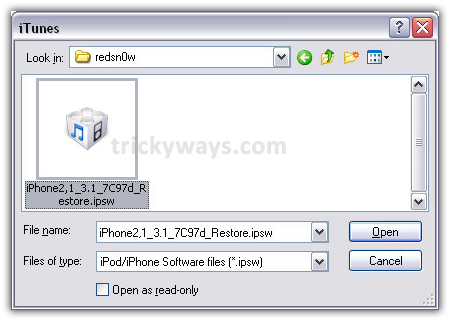
Open your RedSnow folder and click on .ipsw file and press Open button. By doing this iTunes will start restoring your iPhone firmware to iPhone OS 3.0
Step 2
After finishing restore process, execute the RedSn0w.exe file from your RedSn0w folder
Step 3
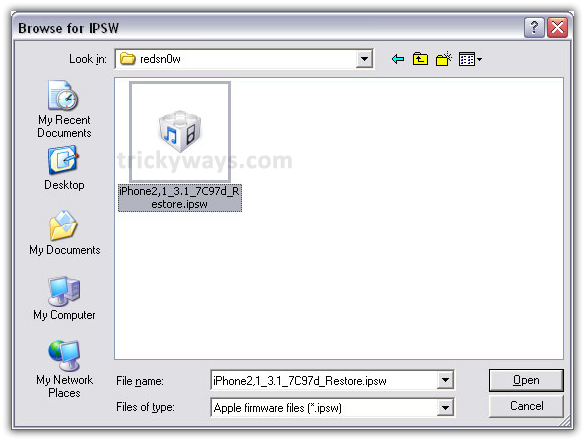
From the following window click on Browse button and navigate to the iPhone2,1_3.0_7A341_Restore.ipsw file in your RedSnow folder and press Open button

Step 4
Now, RedSn0w starts verifying your iPhone firmware. When it’ll Done! Click Next button

Step 5
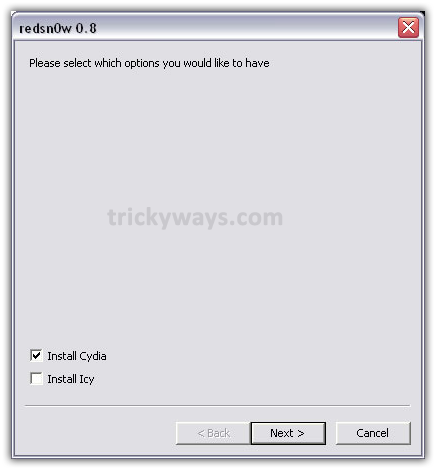
Mark the check box to Install Cydia and click Next button
Step 6
Now just follow RedSn0w instructions to get into the Recovery Mode

Step 9
So, when you’ll be in Recovery Mode then your iPhone will Reboot
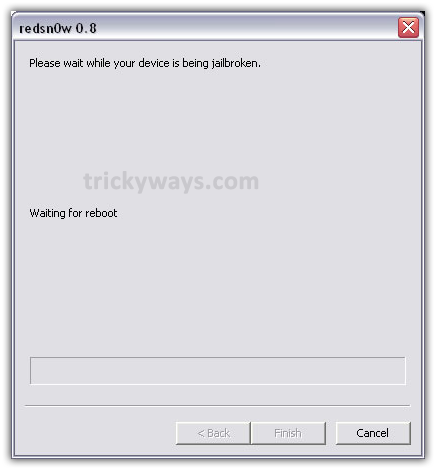
Step 10
RedSn0w will start jailbreaking iPhone 3GS by uploading new RAM Disk

Step 11
While it completes process it shows Done! Click the Finish button.
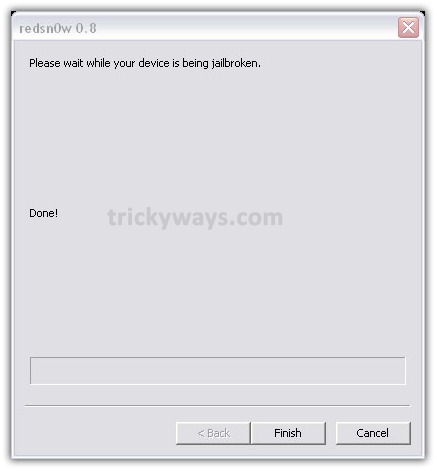
So, on the completion of all process successfully your iPhone will be Jailbroken by having sweet Cydia icon on Springboard.
Use this guide to Jailbreak iPhone 3GS OS 3.0 with RedSn0w in Windows, and write us your experience in comments.
Wow 10/10 !!!! Worked perfectly. Just follow the instructions word for word.
Thank you very much!!!
Thanks Evan. Hope you enjoyed Jailbreaking iPhone 3GS OS 3.0 Windows
Very nice and clear guide to Jailbreak iPhone 3GS, Thanks for this effort.
As easy as 123, BIG THANX
Yes this Jailbreak iPhone 3G S guide is like 123 😛
Is this safe to jail break my iphone 3gs?
What you mean safe to jailbreak iPhone?
WooOow what an innocent question
Why would you want to ‘jailbreak’ your phone? Won’t that void the warranty?
Yes, your iPhone will not under warranty anymore…
THANK YOU SO MUCH!!! i love you for this! i’ve been searching for endless HOURS on how to figure this out and you guys helped me with only a few steps.