Users who wish to run Google’s Chrome OS on their Mac OS X and do not know how to do this for them we are writing the following instruction set. So, follow the steps written below to run and experience the Google Chromium operating system on Mac OS X without disturbing existing OS X.
How To Run Chrome OS in Mac OS X
Download and install VirtualBox for Intel Macs
Download Google Chrome OS Virtual Image file
- Run VirtualBox setup that you have downloaded and follow the instructions of installation wizard. When you finished installation then click on its icon to launch it.

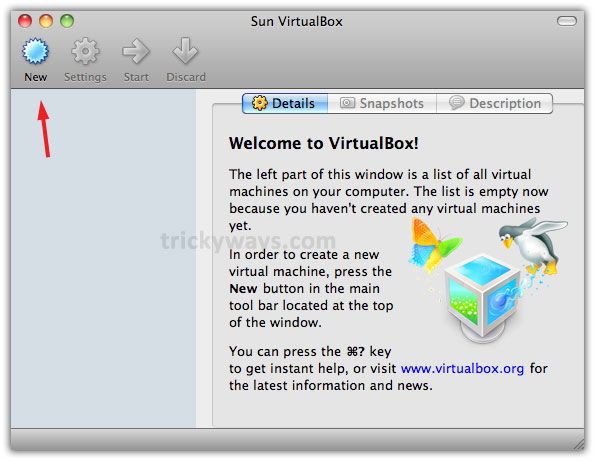
- When you run VirtualBox this will prompt for registration. You can register or skip the registration phase. Click on New to create a virtual machine

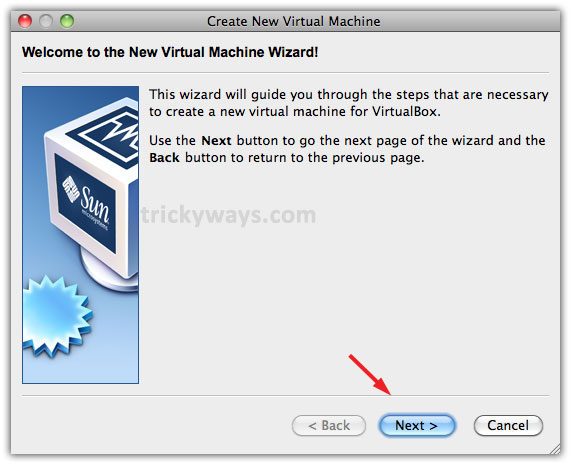
- In following window click on Next

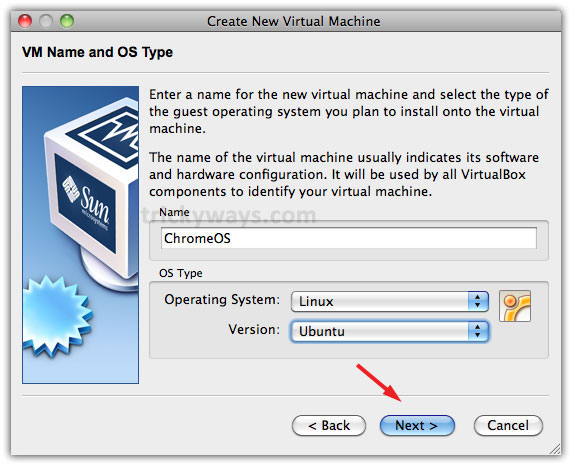
- Type ChromeOS in Name field or select any other name of your choice. Select Operating System as Linux and Version Ubuntu. Click Next to move further

- Set amount of memory to allocate to virtual machine as we did 512 MB and click Next
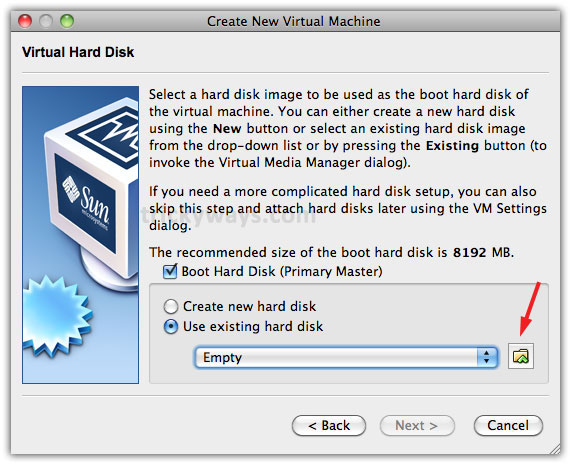
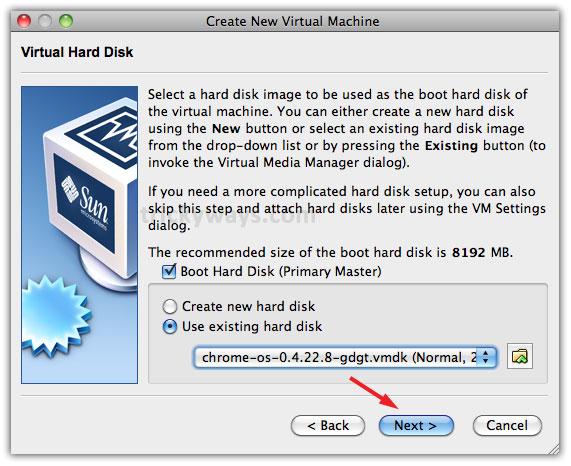
- Here, select Use existing hard disk radio button and click on yellow folder icon
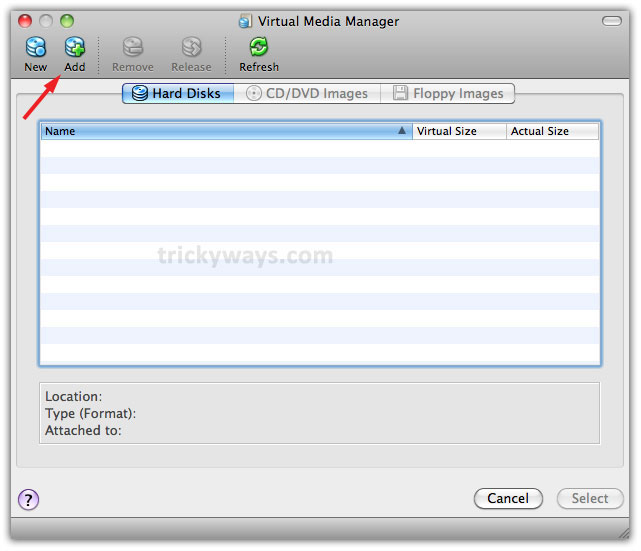
- Click on Add option

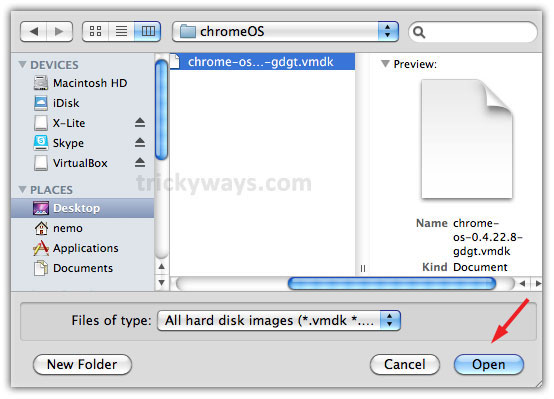
- Navigate to downloaded .vmdk chrome os file and click on Open button

- Select the loaded virtual image of Chrome OS and click on Select button

- Click on Next
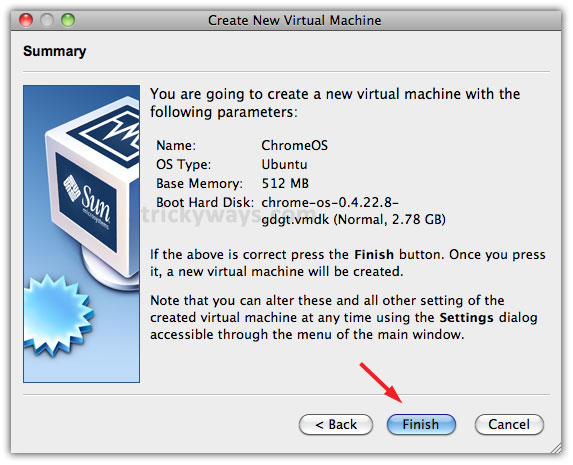
- Click on Finish to complete the loading process of Chrome OS

- Now, in VirtualBox click on Start to run Chrome OS

- After a while Chrome OS interface will display and ask to get login through you Google mail account





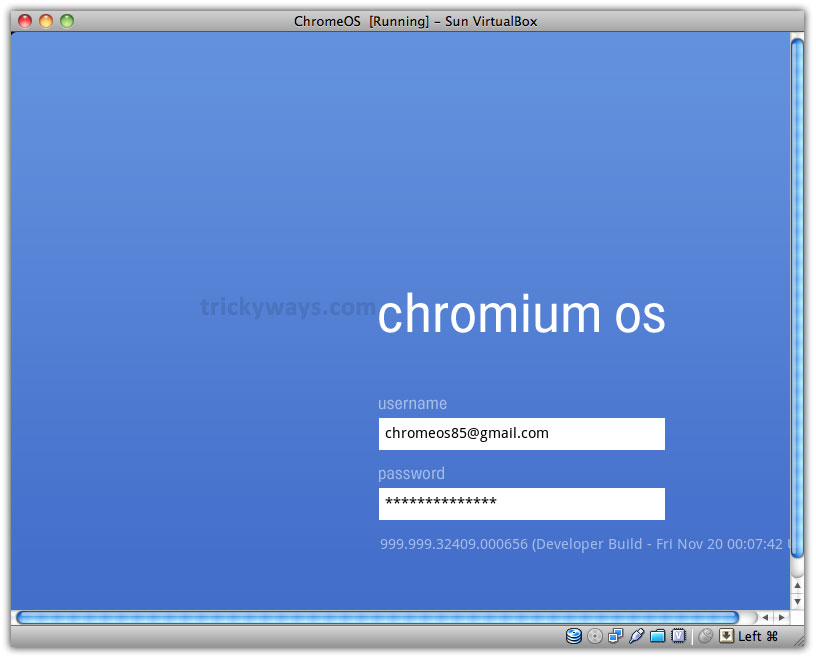
So, this was the process to run Chrome OS through VirtualBox on Mac OS X. This Chrome OS virtual image is created by gdgt hexxeh.
Advertisement
Feel free to ask questions related to running Chrome OS on Mac OS X.
Thanks for the guide to install chrome os on mac
Also 2 csrss.exe running in windows 7