If you have some application in your iPhone or iPad that you don’t need anymore you can delete those apps from iPhone or iPad easily. Method for deleting an app from iPhone and iPad devices is the same since it was introduced the first time. Follow this guide to delete apps from iPhone or iPod Touch.
Note: After the release of iOS 10, Apple allowed users to remove built-in apps ( Calculator, Calendar, Compass, Contacts, FaceTime, etc.) Check this guide to see how to delete stock apps from iPhone.
How to delete apps form Apple iPhone or iPad
step-1
Locate the app that you want to delete from iPhone or iPod touch
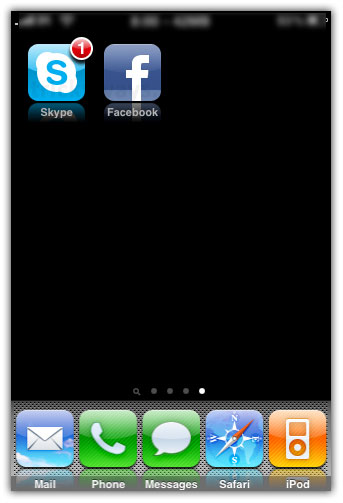
Step-2
Tap the application icon and hold for a while, application icons will start wiggle and you will get a small (x) icon on each application installed from app store.
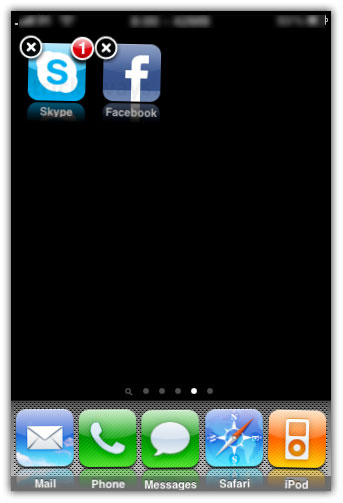
Step-3
Simply Tap that (x) icon and this will prompt to confirm the deletion, tap the Delete button to confirm.

You can see the Skype application you have deleted is no longer available on your device
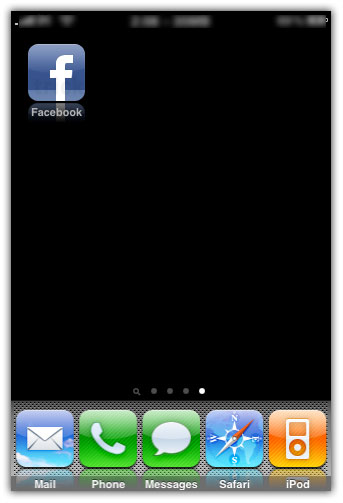
NOTE: There are some default applications in your iPhone and iPod touch that you can’t delete like Maps, Stocks, Safari, Weather etc.
Thanks
Now its really easy for me to delete apps form iPhone
Very simple and easy instead of delete and sync with iTunes (heck)
There are some apps that have loading icon permanently, delete icon didn’t appear when tap and holing on them. What should i do?
Um. It’s definitely possible to delete the preinstalled apps. I accidentally deleted Maps and can’t get it back now, at least not without restoring, but my iPhone 3G is jailbroken and I’d really like to not lose all my 3rd party apps
Backup your iPhone apps
There is still some apps i cant delete, like games, they dont show any little x in the corner if it..
To delete iPhone apps that you have installed from Cydia, you have to use Cydia to remove those apps.
Go to Setting>>> General>>> Restrictions>>> Enter a Password>>> Enter again>>> Turn off unwanted default apps>>> click home button>>> View where the default apps you tuned off used to be>>> They wont be there!!! (Have not tried with a jailbroken iPod)
Hope it helps!
This works for jail broken iPod touch as well. Great tip.
Thanks for the tip. Worked great. Gave myself gray hairs and just couldn’t find anything that explained it as simply as you did. Bookmarked your site. Step one was exactly what I needed.
I have an app that i downloaded from the app store, and now i can’t delete it. Any suggestions? My ipod is jailbroken and i really don’t want to reset it.
When I hold an icon, all the icons shake until I hit the home button again
Thank You Very Much!
My whole iPad has gone silent! My sounds are all on. I don’t know what to do. Can you help me with this problem. I want to be able to hear everything.
Thanks. This really helps. Not very good at puter things yet. Lou
My ipod touch was just trade in by a friend, in other words, its a secondhand, so i dont know its password and i can’t open the RESTRICTIONS on my setting, just to turn off my unwanted default apps, please help me with this…! Im running out of memory on my ipod and i dont know how to remove those useless apps on me… I dont even know what a jailbroken ipod means…
Entering restrictions only disables the app from appearing on the springboard. It still uses memory I’m afraid. You’re going to have go delete some apps 😐
At last get rid from some iphone apps, Thanks.