To draw your attention to a photo on Facebook lot of people may tag you in the picture even you are not in it. If this is the case then you can remove your tag from the photo easily.
Untage yourself from a picture on Facebook.
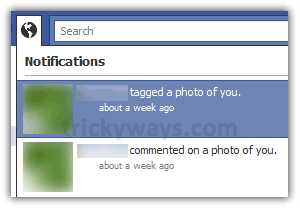
Login to your Facebook account, and select picture notification by clicking on notification icon.
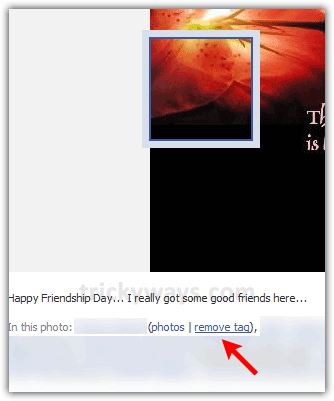
Find your name under the picture and there will be “remove tag” as shown in the screenshot.
See also: