In order to keep your Mac secure, it is good to set an administrator password which must be difficult to guess for others. Mac Administrator has highest privileges as compare to other users. So, in order to keep your Mac secure its important to create a strong password for Admin or you can reset it after a specific time period.
Admin can also make changes for other accounts of Mac system. Here is the process that how a Mac Admin user can change his password, and set passwords for other users as well. So, follow the steps to change Mac password.
Step-1
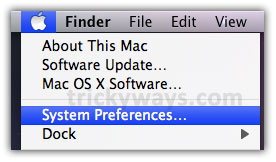
Click “Apple” logo and then click on “System Preferences”.
Step-2
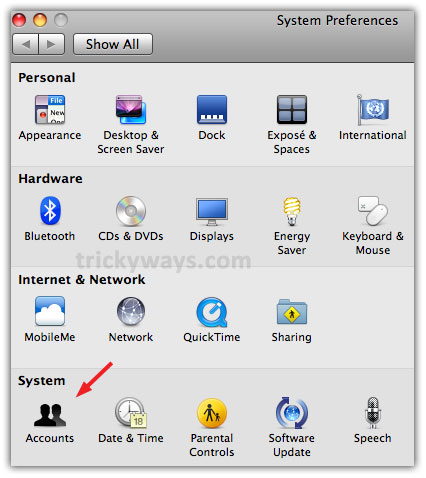
Click “Accounts” icon under “System” section.
Step-3
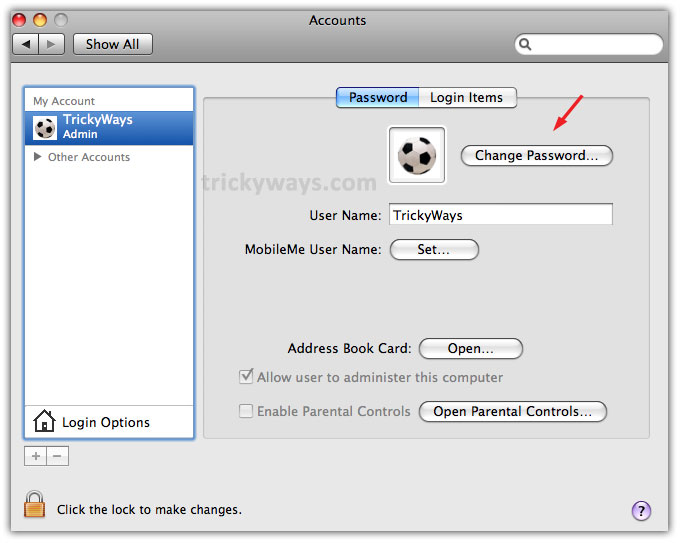
Click on “Admin” user and then click on “Change Password” button on the right-side.
Step-4
Enter Old Password, type New Password and retype password to Verify. You can also write some Password Hint to use it in future to recover forgotten password and then click “Change Password” button to save new password.
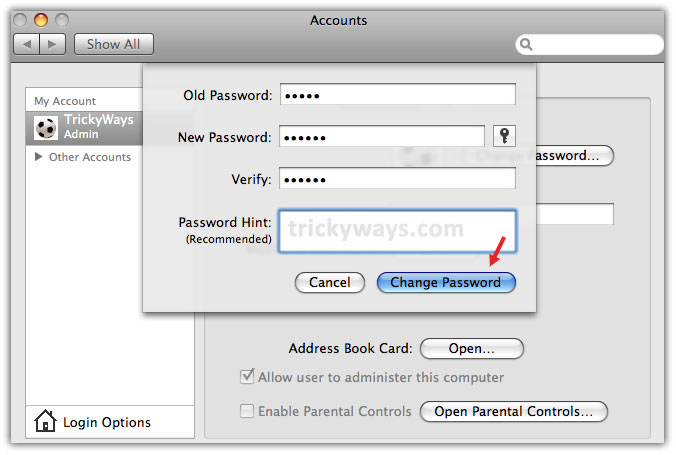
The Admin password is changed now.
Change other user password from Admin
Admin also privileges to set passwords for other user’s account created on Mac. Suppose if any user forget password then Admin can set a new password for that account. Follow these steps to change other users passwords through admin.
Step-1
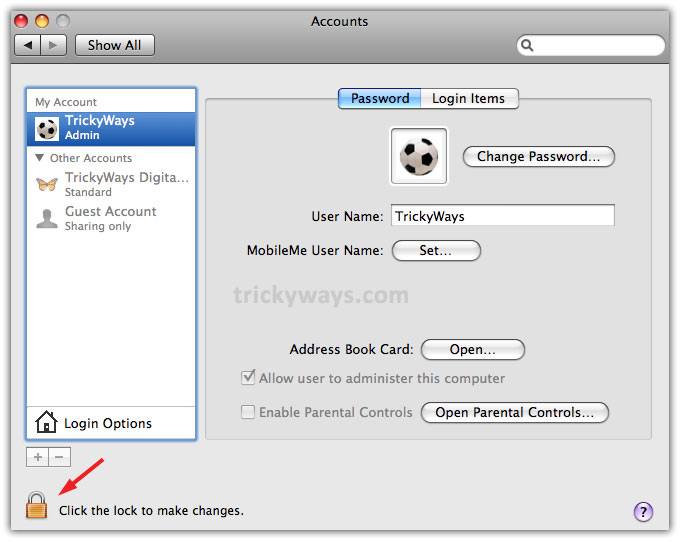
Follow the above step 1, step 2 and in Accounts window click on “Click the lock to make changes”
Step-2
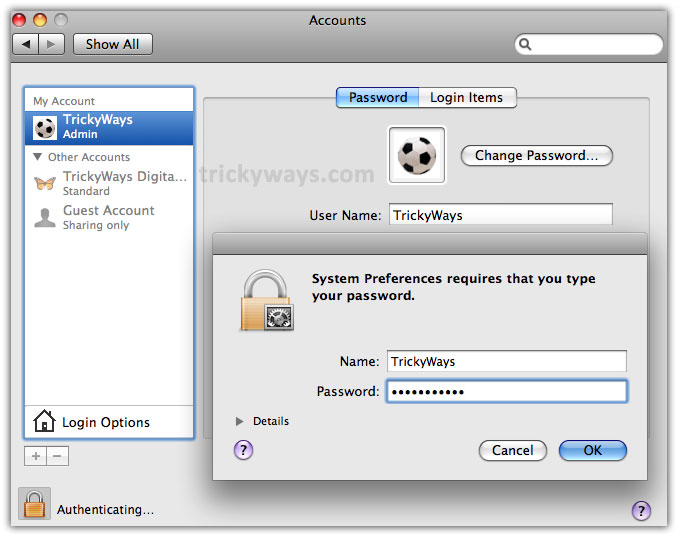
Enter Admin Password to make changes, and click OK button.
Step-3
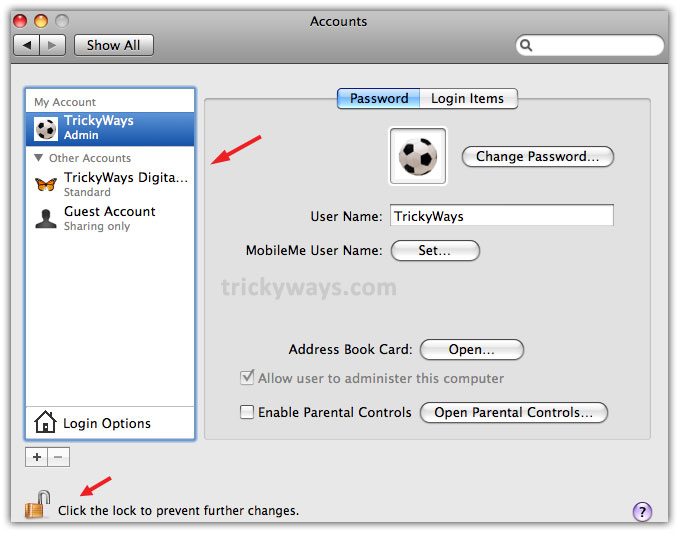
In return, the other users accounts will be highlighted and admin is allowed now to make changes for them
Step-4
Now click on user in “Other Accounts” section of the left-side to change password. It will ask to enter New Password, Verify password, Password Hint, so fill the fields and click Reset Password button.
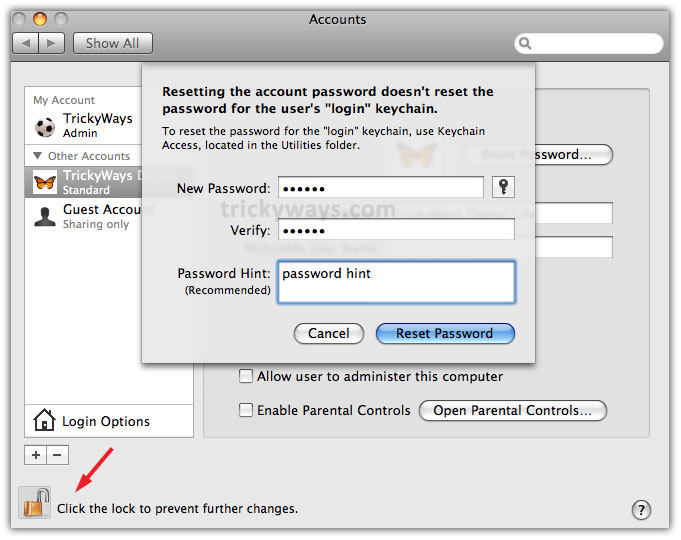
Password of that user has been changed now. Before exit the above Accounts screen, click on “Click the lock to prevent further changes” at the bottom and then close the screen.
what if you don’t have an accounts botton any more but you once did why happened to it?