To remember passwords is quite a challenging and some times difficult task, so Mac has an embedded utility called Keychain Access. Keychain Access can store all almost all passwords that are used in Mac.
For example, when you login to your web browser and click on option to remember my password then that password stored in Keychain Access. In case if you forget password then you may recover that just by accessing through Keychain Access so in this way you will get access and recover all stored passwords on your Mac.
See how you can open and recover the stored passwords on Mac OS X Keychain Access.
Recover Forgotten Passwords from Keychain Access on Mac OS X
Step 1
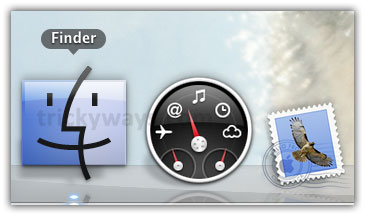
Click on Finder
Step 2
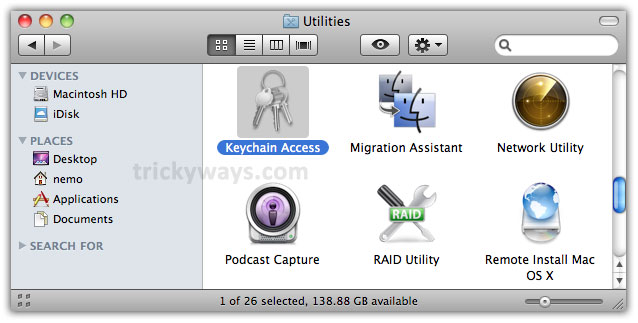
Click Applications > Utilities and then double click on Keychain Access icon
Step 3
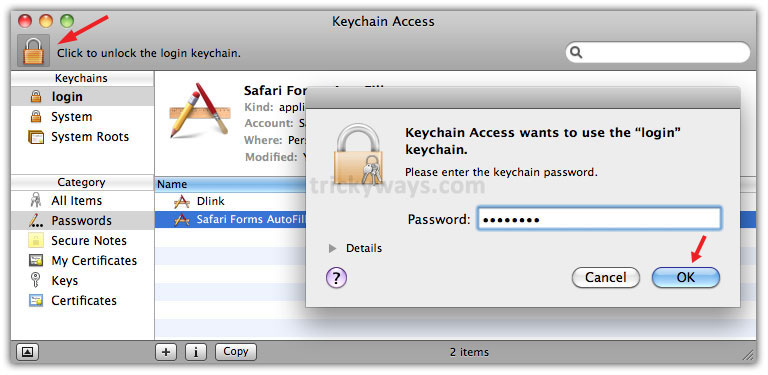
Click on Lock symbol, it asks for password so enter your Mac system password and click OK.
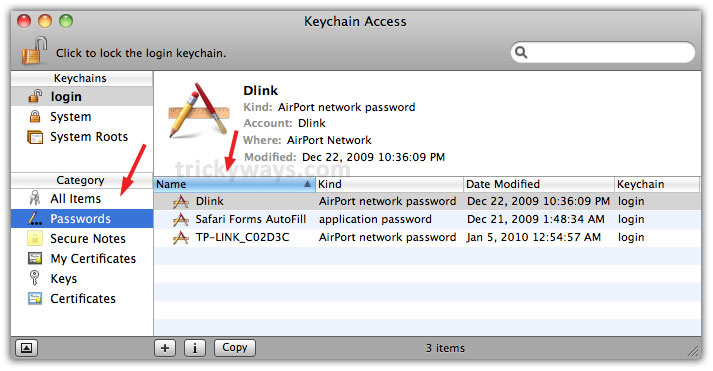
Now, click on Passwords category from left pane then double click on your required application on right side to recover password. Screenshot below listing three items in passwords category, one Safari browser form and two Airport network passwords. Lets take Dlink as an example.
Step 4
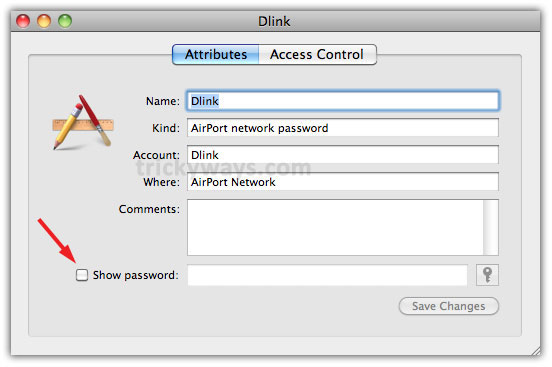
When you double click on application you will see this information as shown below. Mark the check box besides Show password to recover it
Enter your user password and click Allow button
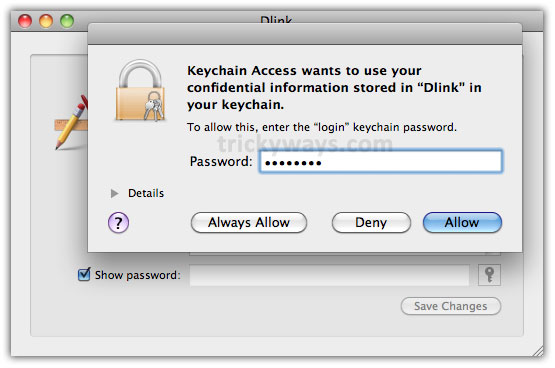
and finally this will show the stored password of specific application in Show password text field

Step 5
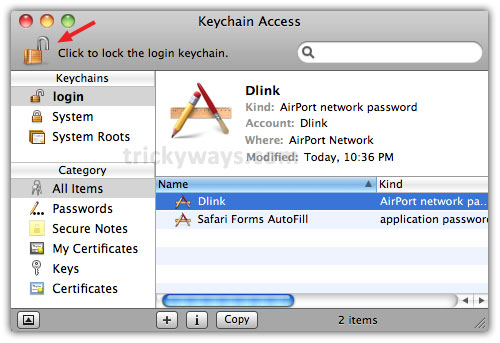
Always click on Click to lock the login keychain to prevent from further changes after completing your task on Mac
Works for me thanks
Great Mac tips
Great, very useful tip to recover forgotten passwords on Mac
This mac os x tip is really great for people who forget passwords
I have forgotten my airport password and recovered very easily, thanks for this awesome guide.
What a great Mac OS X resource!
Thanks for help to recover my password.
ok
Really useful, but isn’t that insecure when other people can see the password?
Great! I didn’t really understand keychain prior to being unable to find a couple of wifi passwords. Thanks very much for the tip – really useful.
Works great, forgot my Airport password and this recovered it fine. Cheers!
thank you sooo much. Super helpful, appreciate the step by step for my visual learner needs 🙂
Thank you very much. Nice article.