If you are not happy with the default search engine of Safari on iPad then you can change it to you favorite one from a given list easily, follow the given instructions below to change default search engine on iPad.
Step-1
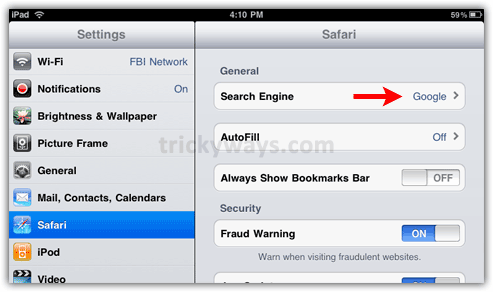
Tap “Settings” icon on iPad Home screen.

Step-2
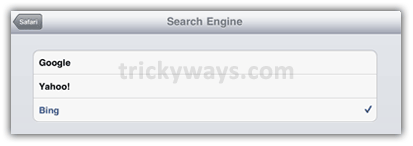
Tap “Safari” option and select available search option as shown below.
see also:
- Setting up email on iPad
- Change interface language on iPad
- Convert PDF to ePUB
- Transfer books to iPad
- even more iPad tips
Perfect tips for people start working with iPad
Nice iPad tips
Help, when I try to download or open I get a message, need flah player, and java script. But safari won’t support a lot of things. I have iPad
Thanks for the help
Thank you! This advice translates well! Not sure why Google gives different results on iPad and Mac for the same search.
How can I set start page as search engine?
Which browser you are using, is it Safari?