The iBooks is the ebooks application introduced by Apple to manage and read ebooks library on iPad and iPhone. Books file format used in iBooks app is ePub. But if you have some ebooks already in PDF format and want to convert those to ePub to read in iBooks app. So, here is simple method to convert PDF to ePub using a free ebook management application Calibre which is available for Windows (XP, Vista, Windows 7), Mac OS X and Linux.
 First of all you have to download and install Calibre on Windows, Mac or Linux, as we are performing this process to convert PDF to ePub format in Mac OS X Snow Leopard.
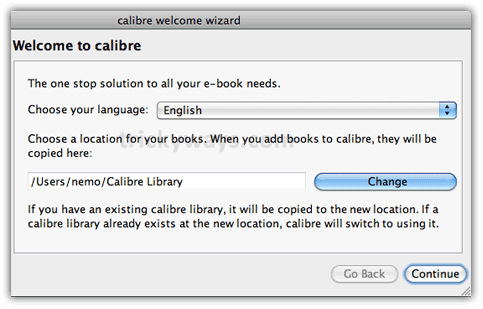
Calibre Welcome Wizard
Once you installed Calibre and run it first time, you have to specify few things:
set a folder where you want to store ePub file
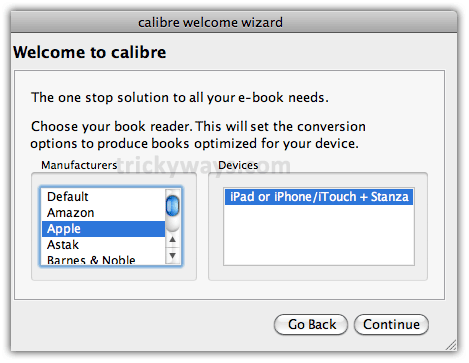
Select Manufacturer “Apple” and device “iPad or iPhone/iTunes + Stanza” as in screenshot below.
How to Convert PDF to ePub
Step 1
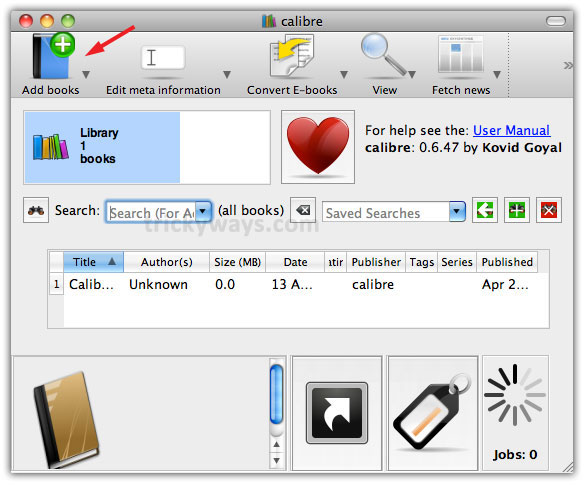
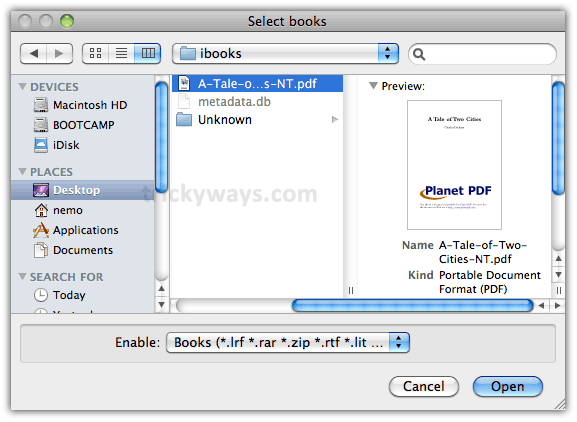
Click on “Add books” button
Step 2
Select PDF book form your computer that you want to convert to ePub format, immediately that will be added under Calibre book list

Step 3
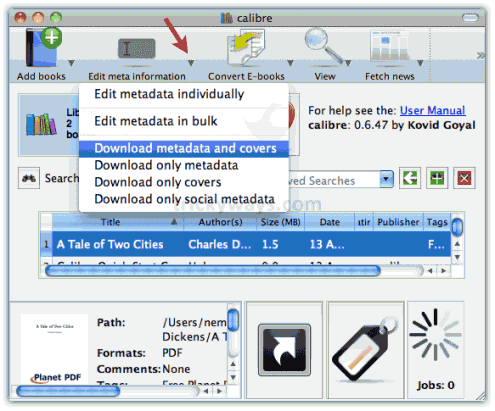
Now click on “small arrow” on the right side of “edit meta information” and select “Download meta data and covers”
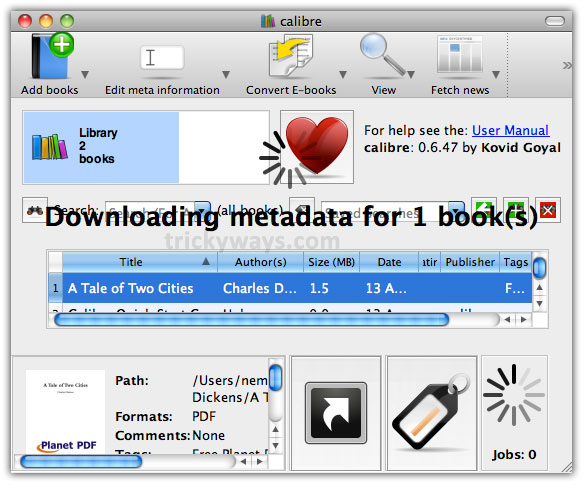
It will start searching and collecting meta information of book from online resources if its available otherwise you may need to add that information manually like book title, author name etc.
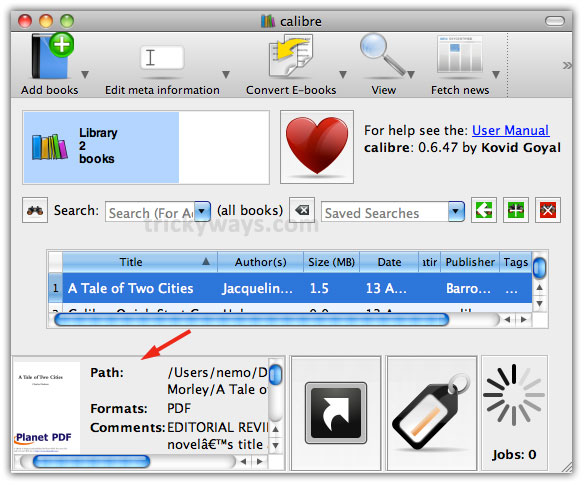
After a while you will find your PDF book’s meta information at the bottom pan of Calibre interface
Step 4
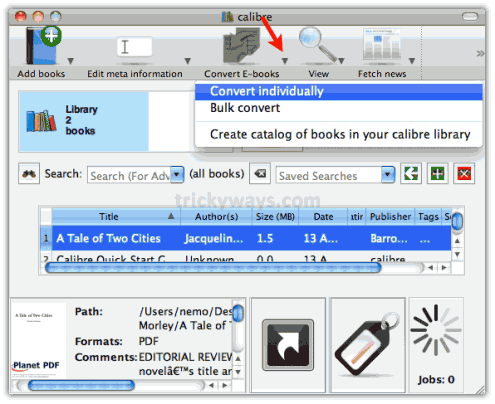
Now, start the book format conversion process. Simply click on “small arrow” on the right side of “Convert E-books” then select “Convert individually”
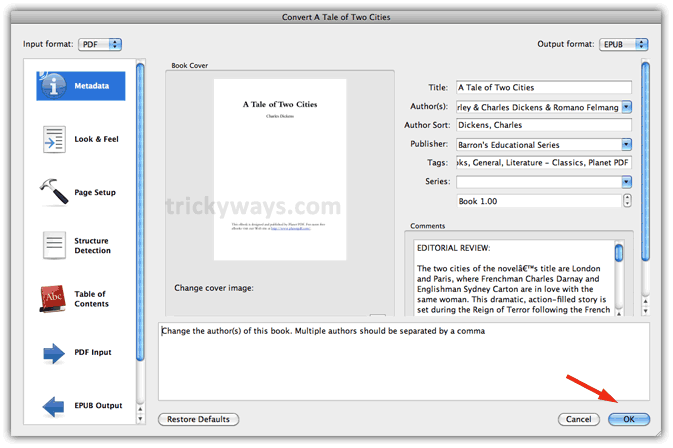
It will open the summary information window of the PDF book, here just click OK
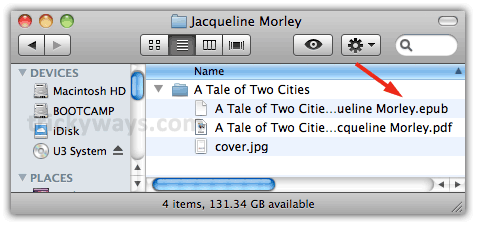
Calibre will convert PDF ebook to ePub format and you can find .ePub version of your PDF file in the folder that you have specified above in the “Calibre Welcom Wizard”
After converting PDF file to ePub, see how to transfer books to iPad
Using Calibre you can also convert file to ePub for iPad :
CHM to ePub, HTML to ePub, TXT to ePub, RTF to ePub, PDF to ePub, CBZ to ePub, CBR to ePub, CBC to ePub, FB2 to ePub, LIT to ePub, LRF to ePub, MOBI to ePub, ODT to ePub, PRC** to ePub, PDB to ePub, PML to ePub, RB to ePub, and TCR to ePub
thanks for sharing this tool and method to convert pdf to epub format.
Thanks for this free software to convert pdf to epub.
funny thing, but calibre is so slow on my mac mini that for me it’s much faster to use an online converter like http://www.2epub.com
Calibre is working fine on my system, thanks for share this converter software.
I tried this link but uploading pdf file is really slow. I m fine to stick with Calibre to convert pdf to epub
I mostly use online tool to convert pdf to epub buy this is also handy
I am getting error while converting pdf to epub using this application
Calibre works perfect on my Mac, could you please explain the exact error which you find during the conversion process of PDF to ePub format?
Same for me. Easier and faster to use an online tool. This is complicated and even batch conversions aren’t automated. This is super slow both on Macbook pro w/ SSD and gaming rig w/ 4xSSDs…
How can i create my own book for ipad, can you help me. i have book content in word file.
Where i can find free books for ipad?
Thanks buddy for helping to convert pdf to epub, i have lot of ebooks in pdf formats
i guess many guys got lots of eBooks in PDF and other formats, but some e-readers—like Sony Reader, Barnes & Noble Nook, Hanlin eReader and phones/devices using Android only support specific formats with their default reader apps, especially newly-released and hot iPad. You should convert your PDF to ePub format so that you can read eBook on iPad, iPhone, iPod Touch and Sony Reader, etc.. (iPad Support ePub Format)
Thankyou for the above info
Will I be able to send the epub format to Apple or Kindle
I have Calibre. But how do I get rid of the DRM on the books from Overdrive??
Oh to use on my ipad.
Calibre is working very slowly and buggy on my Mac os x snow leopard 10.6.3
Also, conversion from pdf to epub is pathetic.
Not a useful program. I will try the site instead mentioned above. Any other tips?
This convertor is not bad as you are saying, i really like this. It supports lot of file type convertion and also convert to epub very well.
Badar, i don’t interested whether the app is bad or not. i’ve written my experiences with the app. i hope it gets better but right it’s an useless app from my experience.
Very true. this app is useless on mac os x 10.6 all my books are shortened to three pages. i will gladly stand corrected if someone could tell me there is something else i need to do. i spend hours behind my best experimenting with one book. i gave up and bought higosoft converter. 28% now.. i hope its better for the money
Buna nasıl pdf dönüştürücü yükleyebilirim? Ya da bilgisayardaki pdf dosyalarını nasıl yükleyip okuyabilirim.
Yup, super duper slow, freezing every time, can’t do shit!!
If you do not like the interface of Calibre, try to use Hamsoft free ebook converte instead. My personal experience.