To transfer books from computer to iPad you must have books in ePub file format and available on your PC or Mac. If you have some books in PDF file format and want to convert into ePub file then first see how to convert PDF to ePubs. Lets see how to transfer DRM-free ebooks to iPad for reading in iBooks.
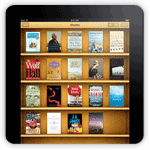 How to transfer ebooks to iPad
Step-1
Run iTunes
Step-2
Click on File menu and select “Add to Library…”
Step-3
Select ebook (.ePub) file from computer that you want to transfer and click Choose button
Step-4
On the left side under Library section, click on Books. Your books will be listed on the right side.
Step-5
Connect your iPad with computer and after few seconds your device will be listed under Devices section on the left side, select your device (iPad)
Step-6
Select the Books tab on the top
Step-7
Check the “Sync Books” checkbox and you can Sync all the books by selecting the “All books” option or few selected book by selecting the “Selected books” option
Step-8
Finally click on Sync or Apply button
Step-9
When iTunes completes syncing process, you can view these books in iBooks app on your iPad.
Its easy to transfer books
How sweet dude i have transfer my ebooks
how to convert to epb?
Thanks for the advice. Do you know how to download books from the public library on to my iPad? I can do this easily when using my PC and then downloading to my Sony Reader. This is done by using Adobe Digital Editions software, but I am told that Apple do not like this Adobe software because it enables direct competition with the purchase of books. I have contacted Apple helpline but they do not seem to know the solution.
when I click “sync books” (from PC to ipad), an dialog box appears saying “All existing songs, movies and tv shows on the ipad will be removed”. what does that mean and how can I solve this problem?
Same things happens when I tgry to sync photos!
Thanks very much…
First, you need to transfer purchases from your device to computer.
So, right click on your device in iTunes and select “Transfer purchases” option, or view how to transfer songs from iPad to computer (This will transfer all purchases to computer from device)
Ahmet, thanks very much for your reply. I still don’t understand. Why is this “transfer the purchase” process important for syncing books, music or photos? I haven’t seen this info in any ipad manual when I search solution.
Every time I connect the ipad to PC, I click sync. Isn’t this enough? When I do transfer purchases, will I be able to transfer selected photos, books, or music from the PC to ipad?
Why does ipad want to remove all the existing content for syncing files from the PC?
Hi, I am unable to find “books” written under the Library section, only music, podcast etc are there. I downloaded this itunes today only from apple site so I guess this is new version.
Hi there – Need so advice on ebooks. I’ve had a libary of ebooks on my ipad (1st generation), 718 of them – and when I added iCloud this week, I’ve lost them! Where the hell did they go? It shows the ‘covers’ of the books, but when I click on them, nothing…any idea how/if I can retrieve them. BTW, when I’ve tried to add ‘new’ books to my libary, doing exactly what you had said above – it doesn’t work! Always did before – so, you can imagine, right now, to me, iCloud totally sucks. Would appreciate advice/help.
Cheers,
Has anybody tried this since Apple changed the non Apple ebook apps? I followed the directions and could not find a ‘choose’ button in step 3.
I followed the directions but could not find a ‘choose’ button in step 3.
Thank you TW. I just learned how to transfer ebooks onto my ibooks ipad. Sweet!
Thank you so much. Had a new book from various Gather authors downloaded to my PC but couldn’t figure out how to transfer to my IPAD. This made it easy!!
For those who do not want to sync it cos of messages like “All existing songs, movies and tv shows on the ipad will be removed” or if it’s just too much of a pain there is an easier way. Send the epub file to your e-mail and then open that email on the iPad and click on the ePub attachment. Choose the ibooks option when opening the attachment. This will open the book in iBooks and add the book to the iBooks app. That’s it.
I keep getting an error message that the file is formatted incorrectly or is a format that iBooks cannot open. It is an ePub file. Any ideas???
I just bought an ebook I think called Spark. I want to download it to my iBooks on my iPhone
Can you help?
I have been struggling for over a week with all the methods described in the Internet, and nothing works. First of all, the new iTunes doesn’t have a “Books” choice in the Library. Second, when you email the file to yourself, the iPad gives you a lots of choices, none of which is “iBooks” or any of the ebook readers. Tried to covert the book to other formats with Calibre and it doesn’t work either. Calibre works well in my MacBook and in my PC, but its output is not recognized or accepted by the iPad. Either there is something else that we don’t know, or Apple disabled the ebook transfer function of the iPad, as they seem too have disabled the Books from the iTunes library..
I found it! When you connect the iPad to the MacBook or the PC, the window in iTunes corresponding to the iPad on the side bar does show iBooks. Clicking on iBooks opens the folder where your ebooks are in the iPad. Open a separate window of Finder where your ebooks are stored in your computer and drag the files you want to transfer from the Finder to the iTunes window where your iPad’s iBooks are shown. It will copy them in a few seconds. When you open iBooks in your iPad it will show the newly transferred books. Once copied that way, you can read them like any other ebook.
I don’t like iPad