In Unix style operating systems Root is a unique user, different than an administrator who has high privileges and rights to make any change to the system. The Root user does not appear in user accounts list on Mac. By default Root user is disabled and recommended that after conducting the required change through Root, disable and log out from it and work on Mac system via regular or admin user accounts.
Here the method is written below to learn that how to enable or disable the root user on Mac, so follow the steps to do that after a jump.
What is root user account?
- Mac root user account has the hight privileges than any user account on Mac.
- Root account used to perform some system-level tasks.
How to Enable the Root on Mac
- Click on Finder icon on the Dock.

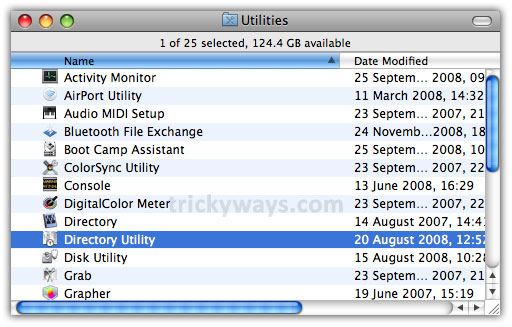
- Then click Go menu and select Utilities option.

- Click on Directory Utility.
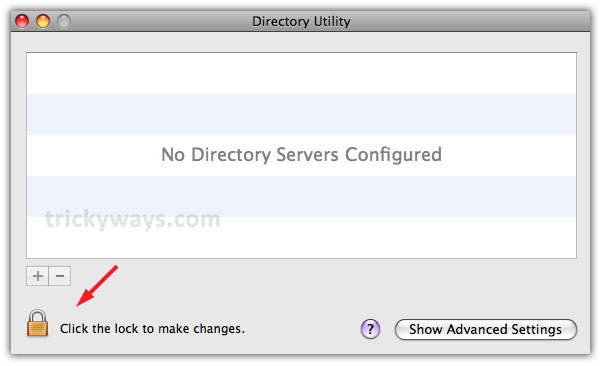
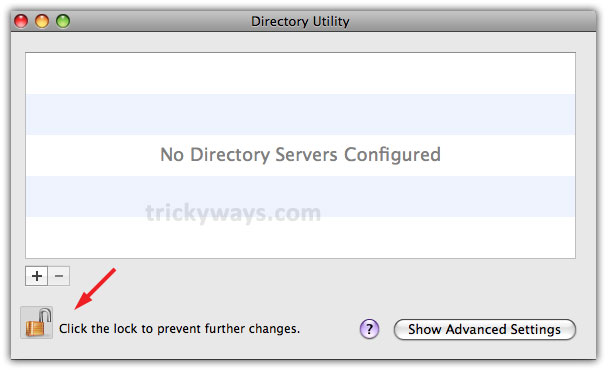
- On the following window click on the lock icon to unlock to make changes.
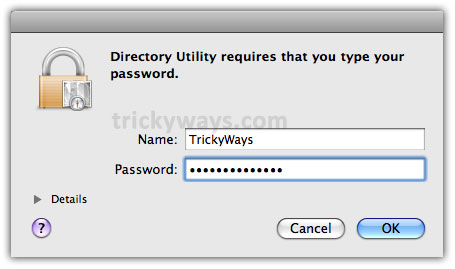
- On this pop-up screen, enter administrator name and password and click OK.
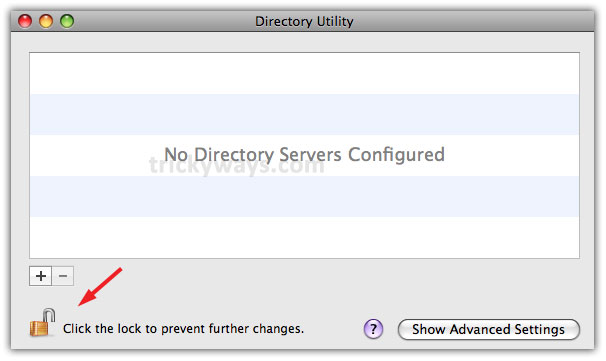
- Now, it is unlocked to proceed further.
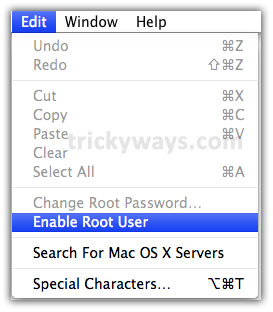
- Click on Edit menu option and then on Enable Root User.
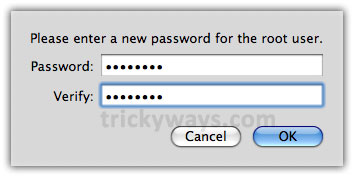
- Enter Root password whatever you want and re-type in Verify text field and press OK.
How to Log in to Root user
Once you follow the above-given steps successfully and the Root user is enabled. Log out of your current user account. Just click the Apple menu and select Log Out option from the list.
- On the login screen click the username “Other.”
- Enter root in Name field and password which you have set in the above steps for root to get log in.
You might want to know how to reset root password or recover forgotten Mac password.
Make your required changes in system whatever you want and remember to disable root account once you have completed the task.
How to Disable the Root
- Just log out from Root and Login to the other Admin account. Then Click on Finder >> Utilities folder >> Directory Utility. The following screen appears, so click on lock to prevent further changes
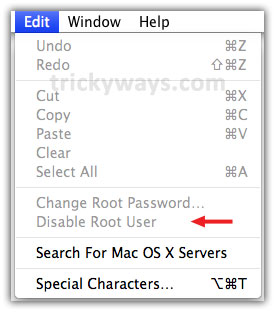
- Now click Edit menu option, you will see the Root is disabled.
I new bought Mac and not familiar a lot with that and this is a completely new info for me that mac has a root user. thanks for sharing this process to enable root user on mac.
thank you for this!
Very different idea of root on mac
Never used the root user account
thanks for describing Root on Mac for new users
I’m also new mac user and this is new idea for me about root on mac
like mac’s root user windows 7 also has hidden admin
nice mac tricks
Mac is much complex for Windows users anyway your articles work well for us
Thanks for helping me in enabling root in Mac..
If I reset the root user, will the password for said user be reseted as well?