If you want to change the default Download folder of Google Chrome web browser for ease and/or you want that each time browser should ask about the location to save the download files then the following method below can provide you guidance to make some settings to do that.
Change Default Download Location in Chrome
- Open up the Chrome Browser on your computer. Copy and paste this text
chrome://settings/downloadsin the address bar and hit enter.
OPTIONAL: If you manually want to open this setting then Click the dotted icon top-right corner, select Settings option from the menu. On the settings Window select Advanced to see the options and then click Downloads.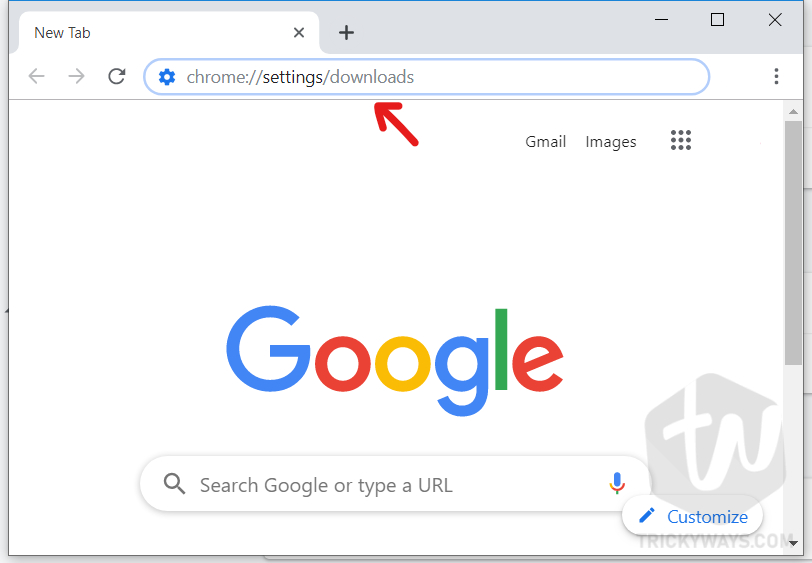
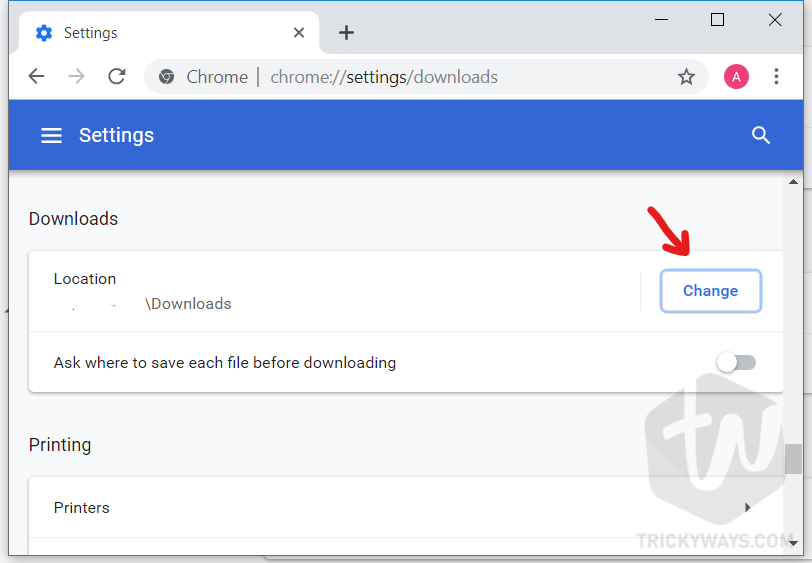
- This will take you directly to the Chrome download settings. Here click the Change button and select the folder that will be the new location for the downloads and that can be on another drive.
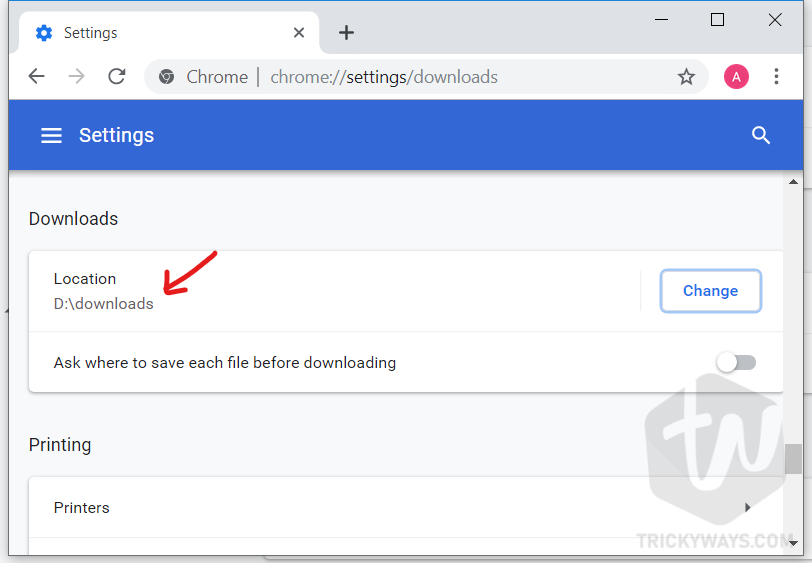
- As you can see I selected downloads folder on D: drive. You can set any folder on your computer that is more suitable for you.
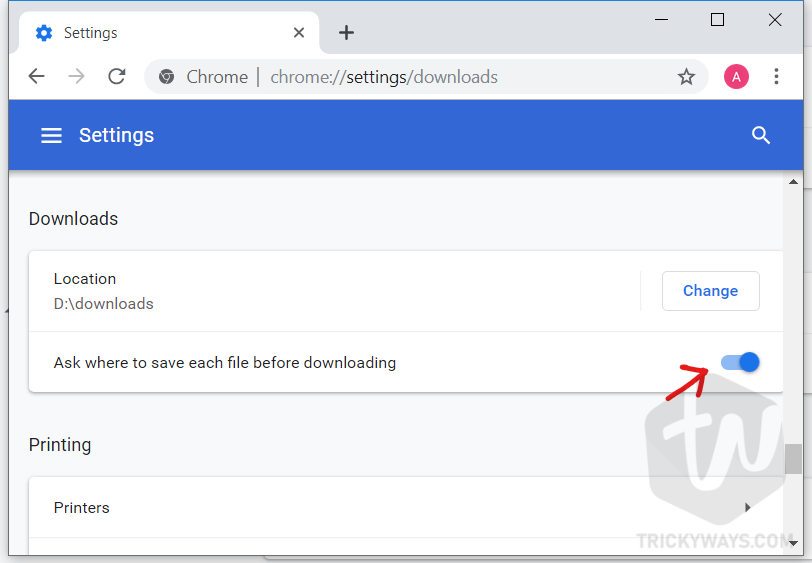
- If you want to select folder location to save the file while downloading then turn this option “Ask where to save each file before downloading” on.
For the older version of Chrome
If you are not using the current version of Google Chrome then follow these steps to select another download location for the files. It’s recommended you should update your browser to the latest version.
Step 1
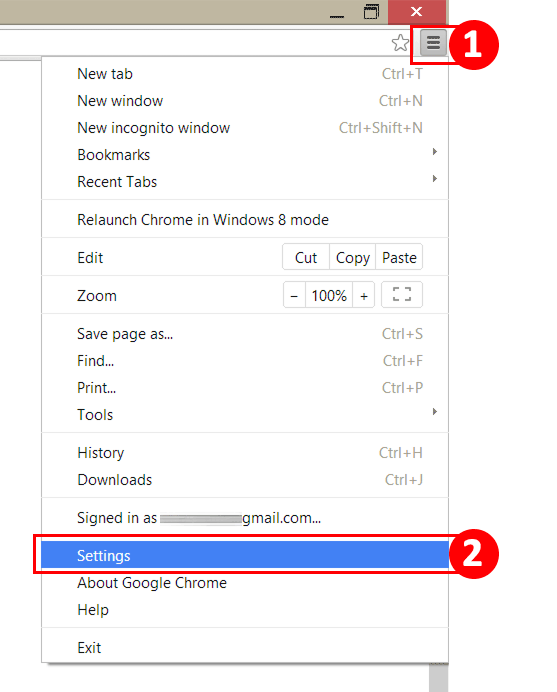
Simply run Chrome web browser, and click on Customize and Control Google Chrome button to open the menu and click “Settings” option.
Step 2
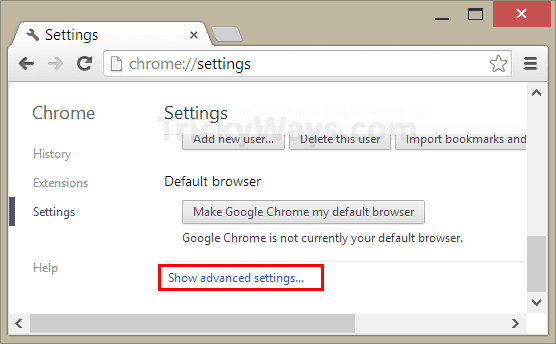
Scroll down and click on Show advanced settings... link.
Step 3
Scroll-down more and navigate to the section Downloads and then click Change... button.
Here, select any folder which you want to set for Chrome Downloads from your system and click OK.
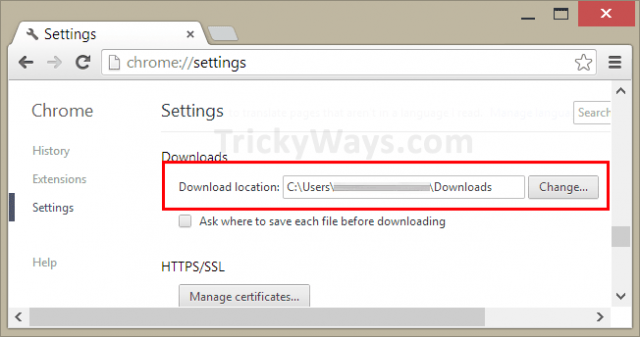
The download folder has been replaced.
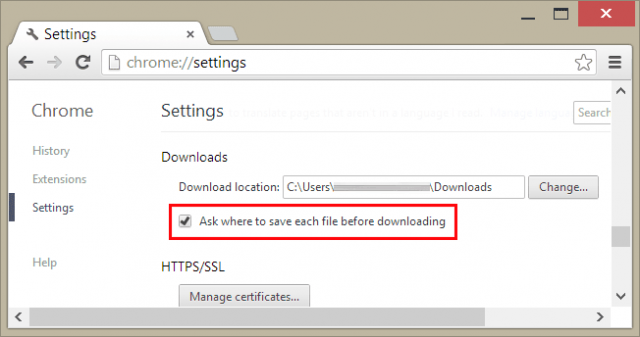
Now if you want that every time Chrome asks you about the location to save a downloaded file then mark the check box followed by Ask where to save each file before downloading and click the Close button at the bottom to make the change effective
That’s all If you need any further help please leave a comment below and we’ll get back to you, Thanks.
I like to use web
Thanks for posting these steps. This has been bugging me for a while, and the Chrome help isn’t all that helpful.