We have also written how to add Facebook Chat in Firefox, and you may use iChat on Mac to send messages to your Facebook friends instead of signing in to Facebook web page. Here we are writing the method to let you know that how you can integrate your Facebook vanity URL with iChat.
 Integrate Facebook Chat with iChat on Mac
Step 1
Click on Finder

Navigate to Applications >> iChat
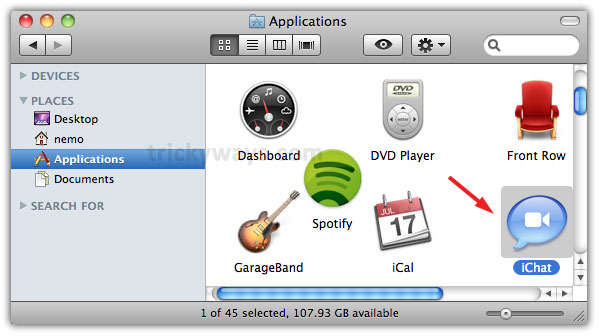
Step 2
Now from iChat menu click on Preferences

Step 3
Click Accounts icon and then click on ‘+’ sign to add new account

Step 4
Enter following information: Select Account Type as Jabber, Account Name: username@chat.facebook.com where user name is your’s facebook vanity user name and password and enter 5222 in Port text box and click Done

Step 5
Now sign in to iChat and start sending messages to your Facebook friends

i successfully connect my facebook with iChat on mac, thanks.
it works for me.
facebook chat integration with ichat is a nice feature and thanks for sharing this
Thanks for this, this is a really good way of using iChat.
Like a lot of people (see apple discussions) it is refusing to accept my password when it trys to login in to FB
Any ideas?
Try to use your Email address as a user name in iChat that you have registered with Facebook account.
I can’t register it with FB as it won’t accept the password (which I KNOW) is correct
Msg was:
Jabber Login
iChat was unable to login in to chat.facebook.com because your screen name or passord was incorrect
hummm same…any ideas please 🙂 x
“ichat was unable to login to chat.facebook.com because your screen name or password was incorrect…”