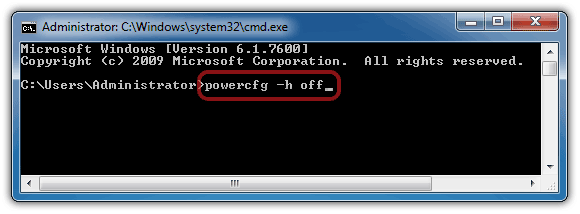
The hibernation option is very useful compared to the sleep option. sleep puts your open documents, files, and folders in memory and takes a small amount of power as well. On the other hand, Hibernating Windows saves the state of all open documents, files, and folders in a file created on your hard disk and shut down the computer. Next time whenever you turn on your computer you will get everything open and ready where you left it last time.
Table of content
In this guide, you will learn how to enable or disable Hibernate in Windows from Command Prompt and Control Panel. Also, If the hibernate option is not available in the Start menu after enabling it through the command prompt, learn how to bring back the missing hibernate option under the Start button > Power menu.
Turn on Hibernate Windows 11 / 10
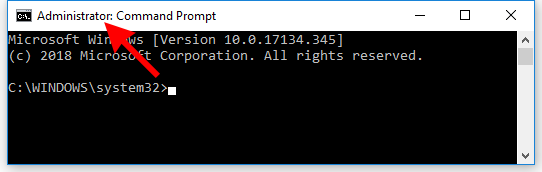
Click the Start button and then start typing cmd. In the search results right-click on the Command Prompt and select the Run as administrator option. User account control might ask you to allow this app to make a change, just click Yes and let it run.
- When the Command Prompt window is open make sure you see the word Administrator in the title of that window. That means the command prompt is running with administrator privileges.

- Now, type the command
powercfg -h onand hit Enter to execute it.
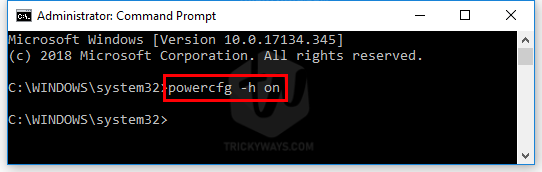
If Command Prompt returns no error then you have successfully turned on the Windows 10 Hibernation. A new system file will be created on the C: drive with the name hiberfil.sys.
TIP: Do you know the hiberfil.sys file is used to save all the current state of open apps when you hibernate the windows and when you turn the PC on again it is responsible to show everything just like where you have left. This file takes up lots of space on your hard drive, on my PC the size of the file is 5.5GB approx. In case, anytime you need some space on the C drive then turn off the Hibernate, and doing that will delete the hiberfil.sys from the drive and will save storage.
Show Hibernate option Windows 10 power menu
If the Hibernate option is still missing in the Power button under the Start menu then you need to show it from the Control Panel.
- Press the Windows+R keyboard shortcut to open the Run window. Type Control Panel and hit Enter to open up Windows Control Panel.

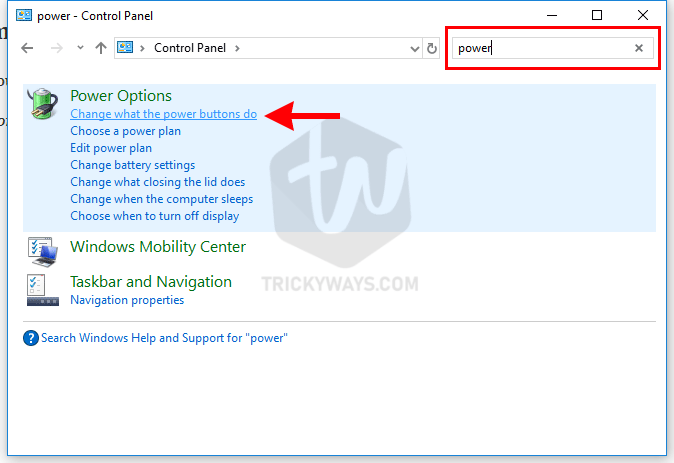
- In the Search box on the Control Panel window type Power and then click “Change what the power button do” search result.

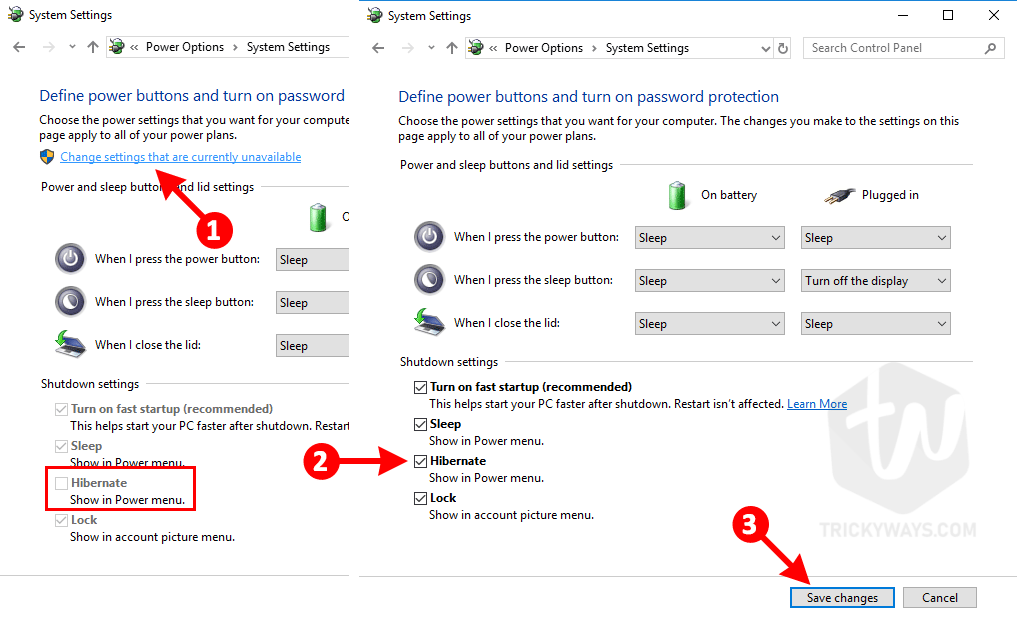
- This will open up the power system settings. Here, at the bottom, you will notice the Hibernate option is unavailable to modify. So, click “Change settings that are currently unavailable” and you will notice you can modify it now. Just check the Hibernate show in the power menu option and click OK to save the settings.


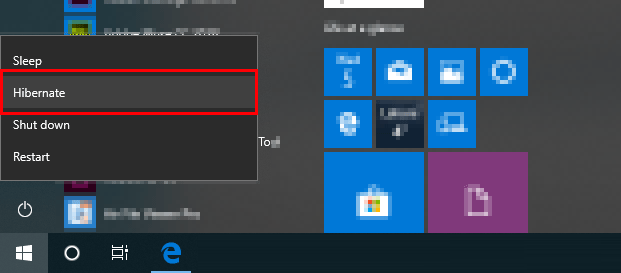
Now, click the Start button and then the Power icon and see the Hibernate option is available.
Turn off Hibernate Windows 10
Just follow the Hibernate turning on method given above and only replace the word “on” in the command with “off” the complete command will be powercfg -h off. If you are getting any errors in the command prompt please ask us using the comment form below.
Enable Hibernate Windows 7
The method of showing Hibernate option in the start menu in Windows 7 is a little bit different from Windows 10. Anyhow, the command prompt command is the same.
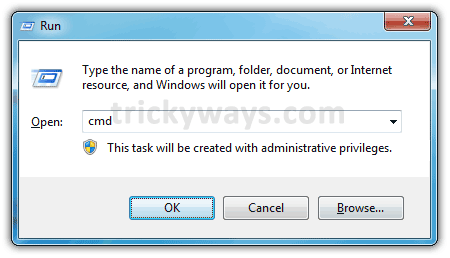
- Press Windows Key + R and type cmd in the Run window.

- Type the command given below in the command prompt and hit the enter key.
powercfg -h on

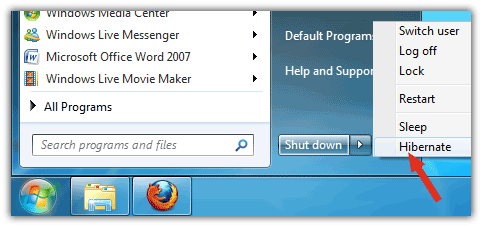
- Click the Start button and See in the Shutdown menu whether the Hibernate option is available or not, If Hibernate option is not available you need to do a few more steps.

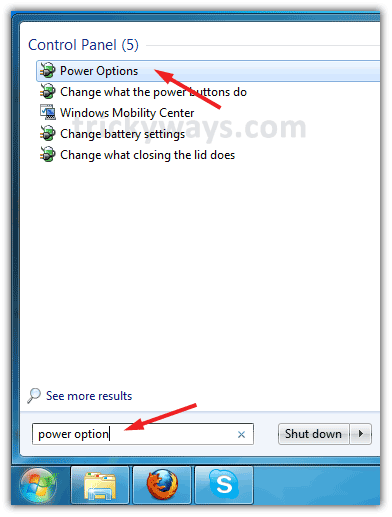
- Click on the Start button and type Power Options in the search box. After this click on Power Options as shown in the screenshot below

- Click on Change plan settings in front of the selected plan

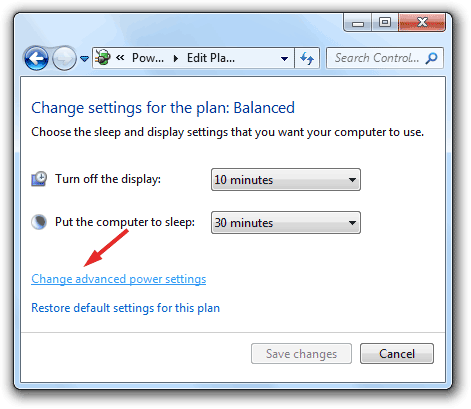
- In the next window click on Change advanced power settings

- In the next Window expand the Sleep menu and select Off from Allow hybrid sleep setting as shown in the screenshot below.




Disable Hibernate in Windows 7
When you disable hibernation, the file hiberfil.sys on C:\ drive will also be removed.
- Press Windows Key + R and type cmd in the Run window
- Type the command given below in the command prompt windows and hit the enter key
powercfg -h off
I try to give complete information enabling, show in the Start menu, and disabling the hibernate in Windows 10, 8, and 7. If you still need any further help please leave a comment below, Thanks.