When you turned on your brand new computer or start a clean installed Windows first time, there is no other user account but the one you created while completing Windows initial setup. Do you know there is an Administrator account with all the rights of Windows operations? In Windows Administrator account is disabled and hidden by default. Due to any reason, if you want to log in to this account, you have to enable it first. In this guide, you will learn how to enable an Administrator account in Windows 10/7/Vista.
Enable Windows Administrator Account Windows 10
There is a very simple command that anyone can run, nothing special. Just you need to open up the Command Prompt with administrator privileges and execute the mentioned command. So, continue reading every step to know that command.
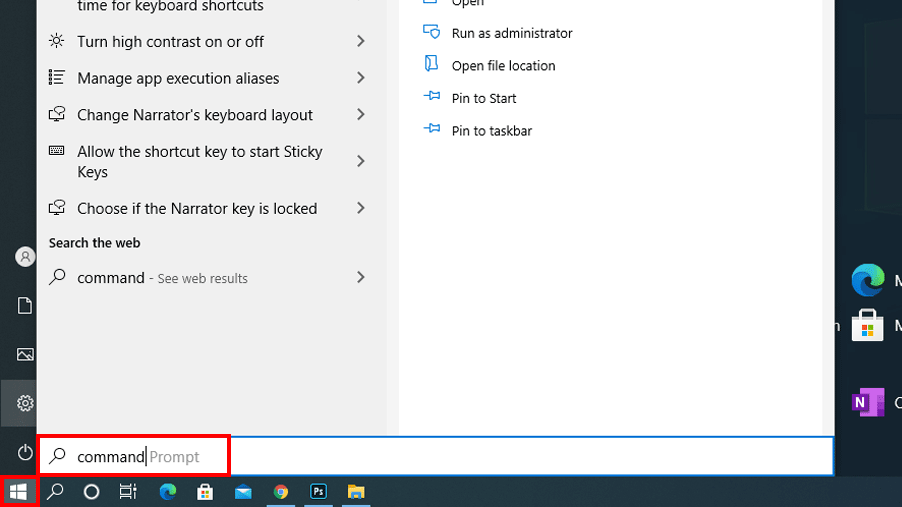
- Click the Start button and then type
commandit will instantly start searching.

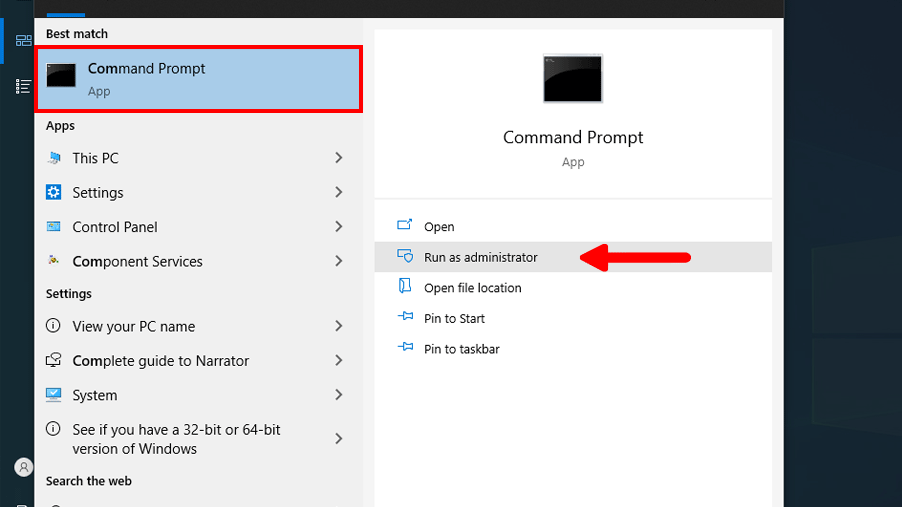
- From the search results, you will see the Command Prompt. On the right side, click the Run as Administrator option. You can also just right-click the command prompt and select Run as administrator.
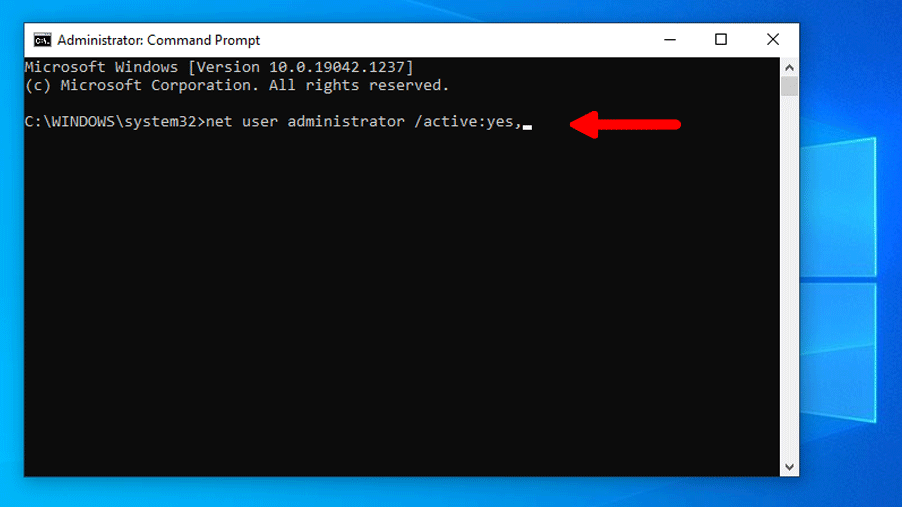
- Now, you successfully run the Command Prompt with all the administrator privileges. Type a command
net user administrator /active:yes, and then hit the Enter key from the keyboard.
- In return, you will see this message “The command completed successfully.” and you are done. If you see anything else like you don’t have administrator privileges or something like that then make sure you followed Step-2 correctly.
- Now, the Administrator account is enabled. Just log out from your current user and right on the Login screen of Windows, you will see a new user with the name Administrator. If you don’t see a new user then Restart your computer, and you will have the option to log in using the administrator account.

See also: Create a Guest Account Windows 10
How to Disable Administrator User Account
You might have done some administrative work or for some reason, you want to hide the administrator account. You can do this by disabling it, just follow the given steps below.
- Click Start and type command.
- From the search results right-click on the Command Prompt and select Run as Administrator.
- Now, in the command prompt window type,
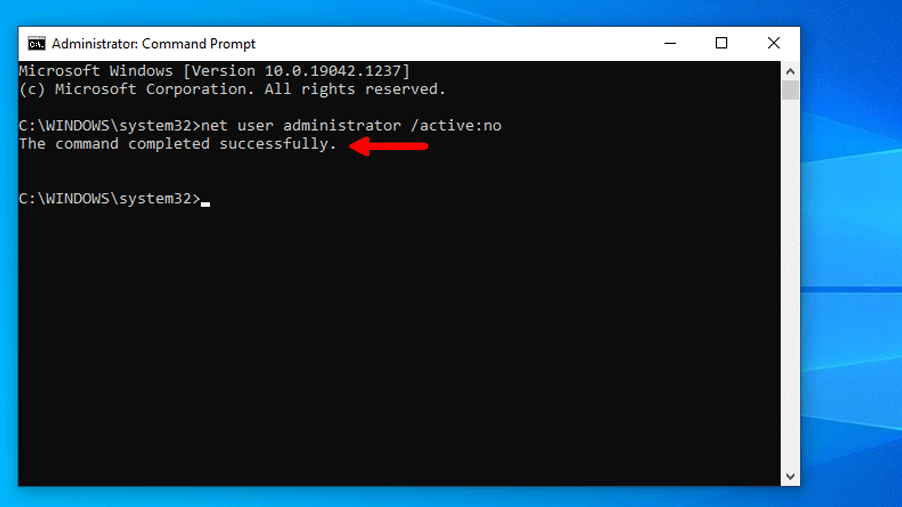
net user administrator /active:noand then press enter.
- You will get a success message, which means the command was executed successfully.
- The administrator account will no longer appear on the Windows login screen.

See also: Create Account in Windows (Command line)
Enable Administrator Account Windows 7
Enable Administrator Account in Windows 7, built-in administrator account in Windows 7 is disabled. To perform some Administrative task you have to enable it. To enable the Administrator account in Windows 7 follow the given steps below.
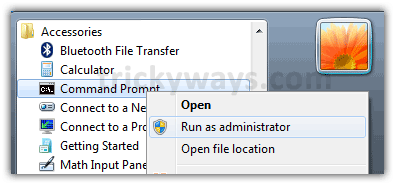
I am going to use the Windows command prompt to enable the admin account on Windows 7, make sure you run the command prompt as administrator. Let’s see how to do that and what is the command to enable the account.
- Click on Start menu > Accessories > right click on Command Prompt > Run as Administrator

- This will open Command Prompt, copy the following command paste, and hit enter
net user administrator /active:yes

- Now logout and see the administrator account is available

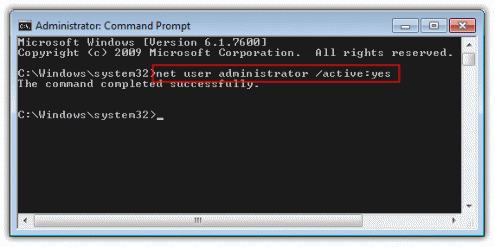

To disable Windows 7 Administrator again just put ‘no’ instead of ‘yes’ at the end of the command
net user administrator /active:no
Enable Windows Vista Administrator Account
By default the administrator account is disabled in windows vista, to do some administrative level tasks you have to enable the administrator account. To enable an administrator account in windows vista follow these simple steps:
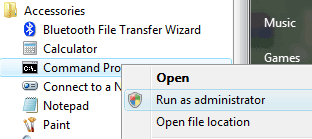
- Run Command Prompt (run as administrator) Start Menu > Accessories > Command Prompt as shown below

- Type the following command in the command prompt
net user administrator /active:yes

- You are done finally log off and check the hidden/disabled administrator account is available on the welcome screen.

hidden administrator account will display on the welcome screen


Hey, Wait what if you want to disable this account again, no problem.
To disable its account in windows vista just this command in the command prompt.
net user administrator /active:no
Put ‘no’ at the end of the command instead of ‘yes’
Was that helpful?
If you are getting and message in the command line and the administrator user isn’t showing on the Windows login screen then please leave a comment below and we will try our best you solve your problem.
I cant get past my login is there another way get