This error “A disk read error occurred Press Ctrl + Alt + Del to restart” appears on all Windows versions. If your computer shows this error on startup it’s mean your computer’s hard drive is failed to boot. It doesn’t mean your hard drive is dead. There are other things too which cause this error [...]
How to Fix Minecraft Not Updating to the Latest Version in Windows 10
Oct 14, 2019Minecraft is a very popular game nowadays, In this game, you can create anything that you can imagine. its paid game but you can try this free of cost as a trial version. You might be here if your Minecraft not updating to the current version. Many users reported that their Minecraft version is lower [...]
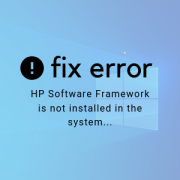
Fix Error: HP Software Framework is not installed in the System
Oct 9, 2019Windows 10 error which is “HP Hotkey UWP Service – Error: HP Software Framework is not installed in the system…” appears when you try to use your FN key to increase or decrease sound or brightness. Many users report this error shows after updating Windows 10 and after some time automatically appears. For some users [...]
Solve Fatal error “Installation ended prematurely because of an error”
Oct 2, 2019While installing or uninstalling the new application to your Windows 10 some users might get an error “Fatal error, Installation ended prematurely because of an error” which means this error appears because of something left behind from the last uninstallation which causing the issue. Whenever you uninstall the app from your Windows, every app leaves [...]
How to Record Screen of your Computer in Windows 10
Oct 1, 2019Recording video for own purpose or to publish on the YouTube is very trendy nowadays like create tutorial, if you are watching movie and want to cut the scene, you have to use third-party tools for this or playing games and want to record the gameplay for this you also need third party apps but [...]
Fix Windows 10 Doesn’t Connect To Wi-Fi Automatically
Sep 27, 2019Normally when you turn on your Windows 10 computer or laptop, Windows 10 automatically connects to the Wi-Fi networks which you used already eight after the Windows desktop appears but at times, your Windows might not connect automatically connect to the Wi-Fi network. I was also stuck in this problem after upgrading Windows 10 to [...]
Fix Black Screen with Remote Desktop Connection in Window 10 After Update
Sep 4, 2019After upgrading Windows to the latest version which is released recently Windows 10 May update 2019, many users face any kind of issues. Windows 10 Remote desktop app helps you to connect to another computer over an internet connection or local network. This Remote desktop app can be downloaded from Windows Store free of cost. [...]
Fix: Microsoft Windows Store Keeps Updating the Same Apps
Aug 30, 2019Microsoft Windows has its own built-in store app where users can download and install many apps and games, both free and paid. But in Windows 10 Microsoft Windows store not only lets you download the apps also helps you to update the Windows 10 built-in apps such as News, Weather, 3D builder and more. But [...]
Everything You Need to Know about Windows 10 August 2019 Update KB4512508
Aug 20, 2019Microsoft released August 2019 update named cumulative update KB4512508, also known as Windows 10 August update 2019 and its OS build number is 18362.295 for the Windows machines which are running Windows 10 may update 2019. It’s not a big update as the last Windows 10 May update 2019 and according to Microsoft this Windows [...]
Fix: The program Can’t Start Because MSVCR110.dll is Missing From Your Computer. Try Reinstalling The Program To Fix This Problem
Aug 14, 2019This error “The Program can’t start because MSVCR110.dll is missing from your computer. Try reinstalling the program to fix this problem.” may display on your version of Windows when you try to open any software or game after installing. Basically, it’s not a Windows error and doesn’t have to worry about anything because it can [...]
Fix: Can’t Upgrade To Windows 10 Due To Intel Rapid Storage Technology (Intel RST) Drivers
Aug 14, 2019The error “Intel rapid storage technology (Intel RST) The inbox storage driver iastora.sys doesn’t work on these systems and causes stability problems on Windows. Check with your software/driver provider for an updated version that runs on this version of Windows” shows when you try to upgrade your Windows to Windows 10 May update 2019 using [...]
How to Fix: Setup Was Unable to Create a New System Partition… Error During Windows Installation
Aug 2, 2019While installing Windows 7, 8/8.1 or Windows 10 you might face this error Setup was unable to create a new system partition at the partition selecting window. At that moment you formatted your drive and when you select the partition and click on next button to continue and get this error. Now, you can’t even [...]

How to Force an App to Use Dedicated Graphics Card (GPU) on Windows
Jul 28, 2019Computer with dual GPUs are common, the one that is the built-in graphics card that usually is Intel HD Graphics and the second dedicated graphics card may be from Nvidia or AMD. A laptop that has two GPUs are capable to run high-end 3D games and software that need hight performance. Usually whenever any app [...]

How to Optimize Windows 10 Performance for Gaming
Jul 23, 2019Simply imagine you are playing your most favorite game on your computer and game frame rate are low, the game dose is not running smoothly or lagging due to background processes overwhelm your computer memory. In this situation, everyone will get angry but there are some tools and settings which might help to boost your [...]

How to Password Protect a USB Drive Windows 10
Jul 17, 2019USB drives are very cheap, portable, reliable and quickest way to store your data. It’s very useful for those who work on multiple computers, the user can simply copy data into a USB drive and transfer it to another computer easily. It’s not surprising that USB drives are popular nowadays due to portability, you just [...]
Fix Error: HAL Driver – Machaldriver.sys While Upgrading To Windows 10 Version 1903 on Mac
Jul 9, 2019Everyone loves to install and try new updates and Windows version like recently Microsoft released Windows 10 May update 2019 with many new features but every new update or version comes with bugs and glitches which are resolved with the passage of time. If you are installing or upgrading Windows 10 on Mac machine using [...]
How to Fix “Windows Setup Could Not Configure Windows to Run on this Computer’s Hardware” Error
Jul 7, 2019There are many errors appear while installing or upgrading Windows to the latest version of Windows 10. We have discussed many of them and provide all the possible solutions or workarounds. In this guide, we will try to fix Windows setup could not configure to run on this computer’s hardware error. This error won’t allow [...]
Fix “Some Settings Are Managed By Your Organization” Message Windows 10
Jul 6, 2019After upgrading your computer to Windows 10 May update 2019, many users face this message “Some settings are managed by your organization” whenever they try to change or configures something in different sections of Windows settings. While upgrading to Windows 10 you were asked “who owns this PC?” with either an organization or you, its [...]
Fix We Couldn’t Install Windows 10 Error 0xC1900101 – 0x20017
Jul 5, 2019Sometimes Windows 10 installation or upgrade can be impossible almost due to some errors. This guide’s aim is to provide the best solutions for Windows 10 error 0xC1900101 – 0x20017 while upgrading or installing. This error shows while you want to install major updates such as Windows 10 anniversary update or creator update. Normally upgrading [...]
Fix Screen Brightness Control Is Not Working After Windows 10 Update
Jun 19, 2019You can increase or decrease the brightness as you need to make content more comfortable according to local environment and lighting. Adjusting brightness also increases battery life if you are using a laptop. Brightness can be adjusted manually through settings or let Windows set brightness automatically depends on your computer is plugged or not. After [...]
How to Stop Automatically Emptying Recycle Bin in Windows 10 – Storage Sense
Jun 16, 2019Windows 10 new update which is released recently with tons of new features, changes, fixes, and improvements. Storage sense is one new Windows 10 features which help Windows users to free disk space automatically when they are running low storage. This feature is available in Windows 10 May update 2019. Whenever you delete any kind [...]
What is Windows Sandbox and How to Enable Sandbox When Missing on Windows 10
Jun 14, 2019Windows 10 Sandbox is a lightweight isolated environment which used to test unknown publisher or untrusted application without affecting your primary operating system. But this Windows 10 May update feature is not active already, you need to enable or activate Sandbox manually. What is Windows 10 Sandbox? Windows 10 version 1903 released with many new [...]
How to Run Windows Defender Offline Scan When Malicious Stuff Is Difficult to Remove
Jun 14, 2019Windows defender is a free built-in antimalware and antivirus from Microsoft for Windows 8 and Windows 10. Windows Defender is a very good tool which helps your Windows to keep safe from malware and viruses. As antivirus upgrade, hackers upgrades too and change their ways to hack. Which means no antivirus is perfect and your [...]
Fix Windows 10 Upgrade error 0xa0000400 [Windows 10 Update Assistant]
Jun 12, 2019While upgrading Windows 10 to its latest Windows 10 May Update 2019 build using Windows 10 Update Assistant app, many users face “Something went wrong. You can contact Microsoft support for help with this error, here is the error code 0x0000400”. This error appears while you try to upgrade your Windows using Upgrade Assistant or [...]
Fix Microsoft Account Problem “We Need You To Fix Your Microsoft Account (most likely your password changed)” Message
Jun 12, 2019Windows 10 shows an error every time you login into your Windows 10, you will see this pop-up error on your screen saying “Microsoft account problem – We need to fix your Microsoft account (most likely your password changed).” This Windows 10 notification message shows without any reason, whether you set up your Microsoft account [...]